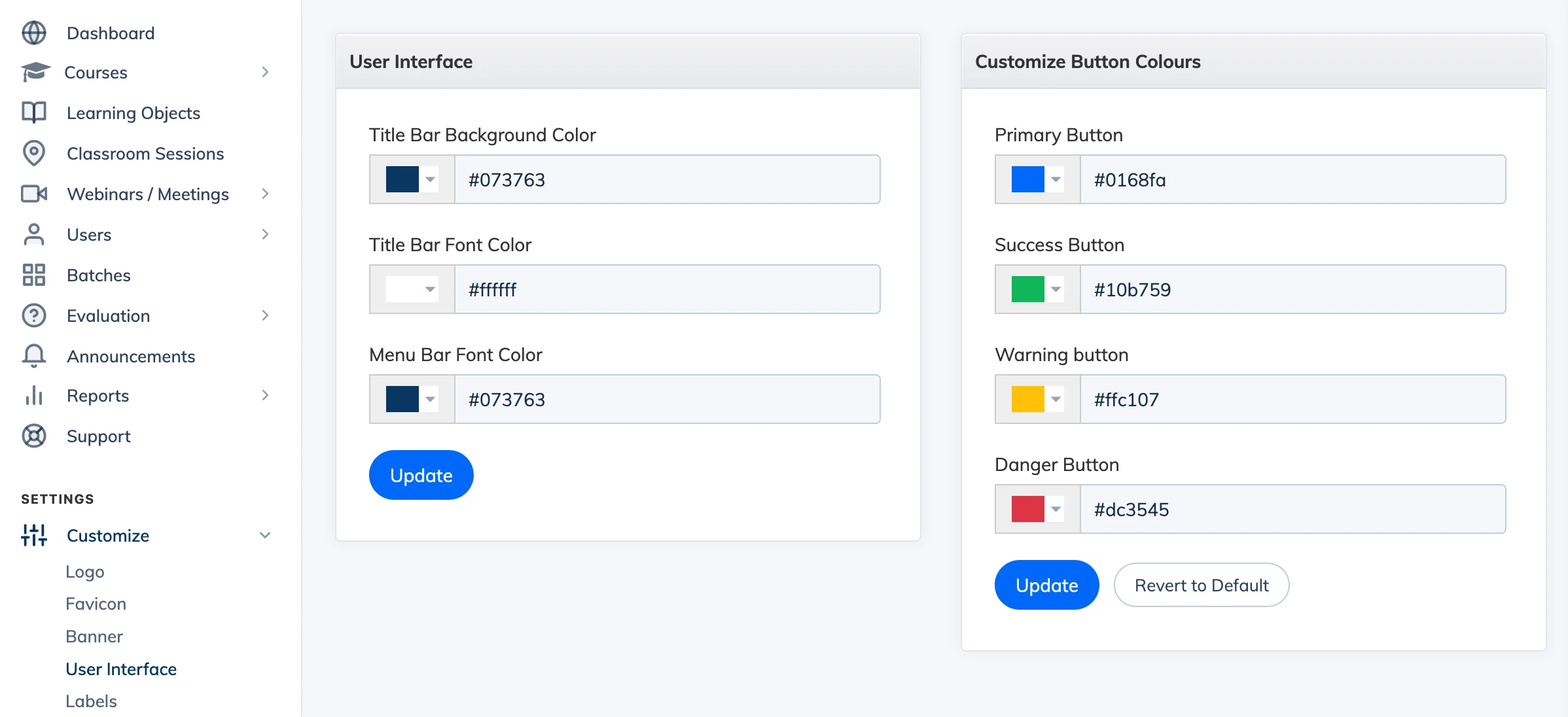
The User Interface settings let you apply your brand colours to the LMS navigation bar and buttons, giving learners a consistent branded experience.
Steps
- Go to Customize → User Interface.
- Set your preferred colours:
- Title Bar Background Color
- Title Bar Font Color
- Menu Bar Font Color
- Under Customize Button Colours, set your preferred button colours.
- Click Submit to save.
To update your logo, see Customize the Logo.