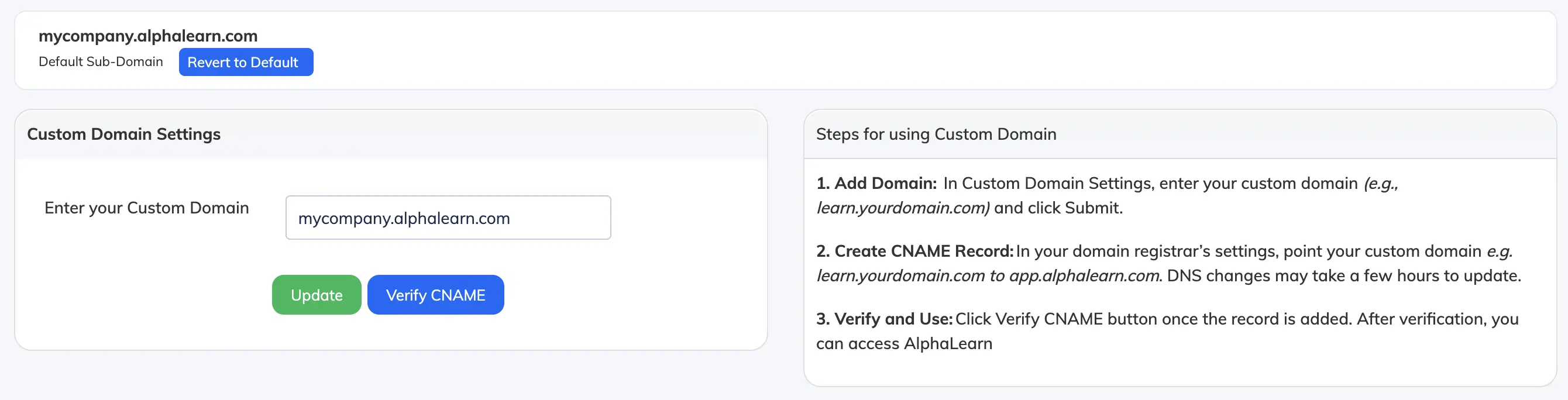
AlphaLearn LMS can be accessed using your own custom domain – for example, lms.mycompany.com instead of mycompany.alphalearn.com. This requires making a change to your domain’s DNS records.
Note: This is recommended for users comfortable with DNS management. If you are unsure, contact your domain registrar’s support team for assistance.
Steps
- Ensure you have a registered domain name. If you don’t have one, you can purchase one from a registrar such as GoDaddy, BigRock, or Namecheap.
- Go to Customize → Domain.
- Under Custom Domain Settings, enter your custom domain and click Update.
- Log in to your domain registrar’s website and go to DNS Management. Create a CNAME record pointing your custom domain to
app.alphalearn.com.
DNS propagation: DNS changes can take up to 24 hours to take effect. Once active, your LMS will be accessible via both the custom domain and your original
mycompany.alphalearn.com subdomain.