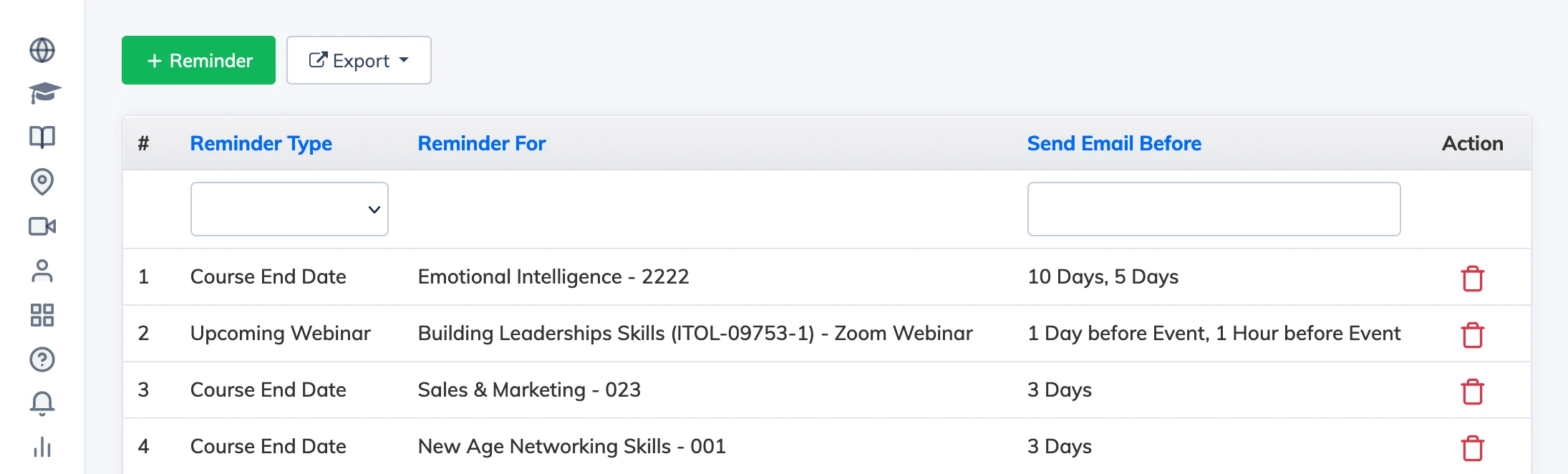
Reminders are automated emails sent to learners before a course expiry, webinar, classroom session, or other event. You can view all configured reminders and create new ones from the Reminders settings.
View and Add Reminders
- Go to Settings → Reminders to see all configured reminders.
- Click + Reminder to create a new one.
- Fill in the details:
- Reminder Type – the category of event (e.g. course expiry, webinar).
- Reminder For – who the reminder is sent to.
- Send Email Before – how many days before the event the email is sent.
- Click Submit.