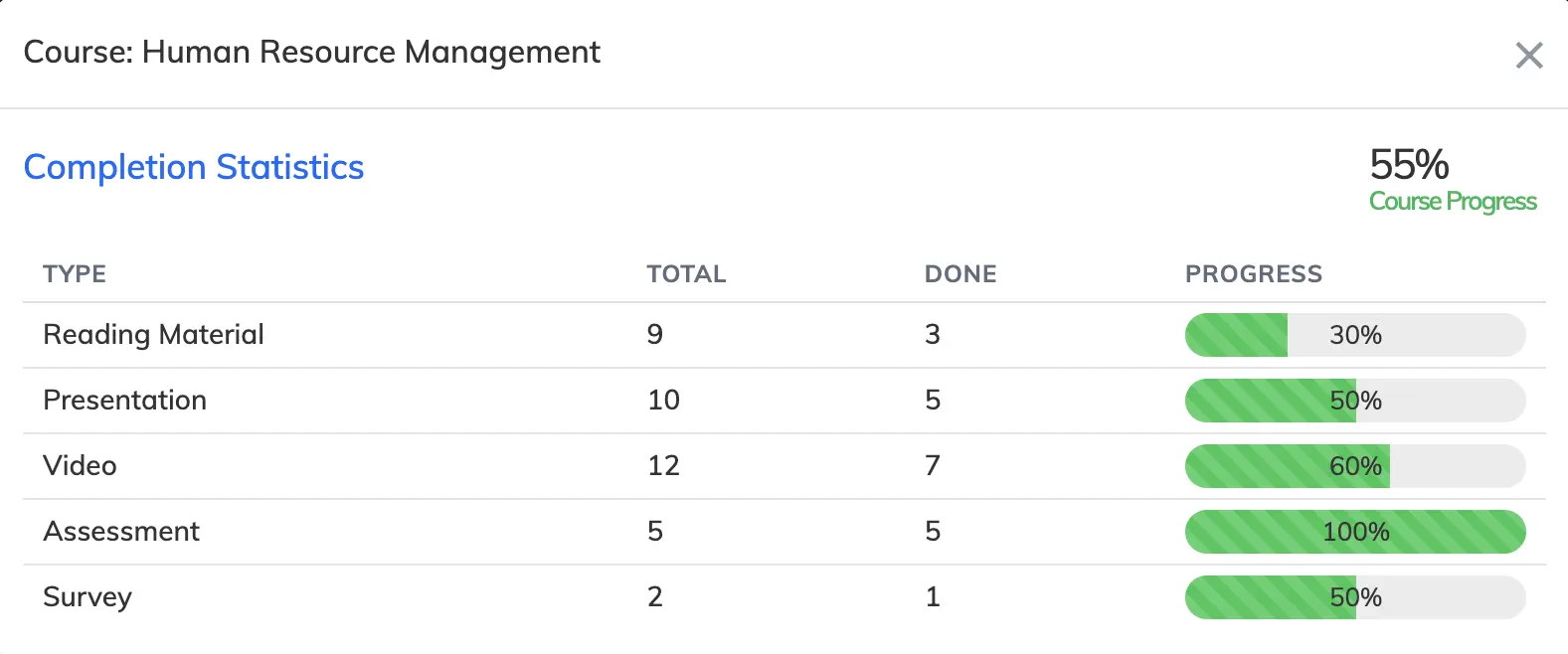
You can view a detailed completion breakdown for any individual trainee across their enrolled courses.
Steps
- Go to Users → View Users.
- Click on the relevant trainee to see their enrolled courses.
- In the Action column, click the Graph icon on the relevant course to view that trainee’s completion statistics.