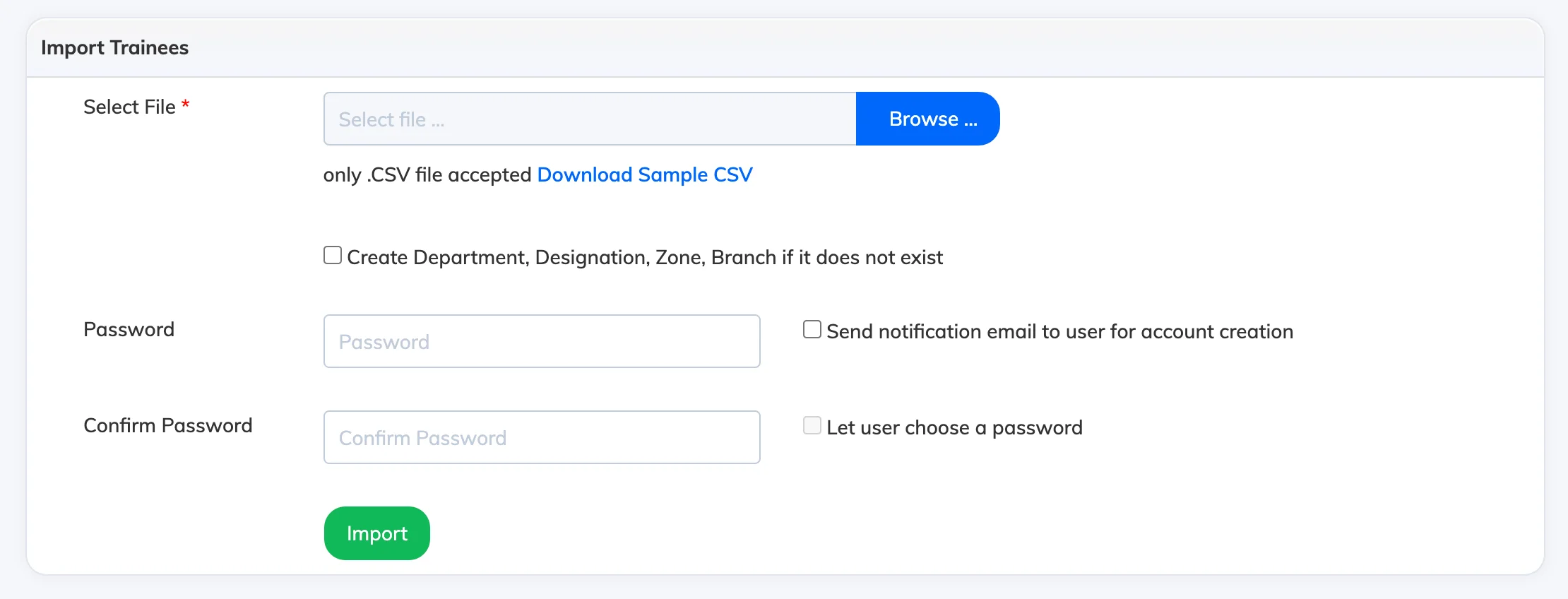
The Bulk Import feature lets you register multiple Trainees at once by uploading a CSV file – saving time when onboarding large groups.
Steps
- Go to Users → Import / Bulk Action.
- Click Download Sample CSV, open the file, remove the demo records, and add your Trainee details. Do not change the column headers.
- Click Browse and select your completed CSV file.
- Configure the import options as needed:
- Create Department, Designation, Zone, Branch if it does not exist – automatically creates these if they are not already set up in the LMS.
- Send notification email to user for account creation – notifies each Trainee by email when their account is created.
- Password – set a common password for all imported Trainees, or check Let user choose a password to let each Trainee set their own.
- Click Import.
Licence: Importing Trainees only creates their user accounts – their status is set to Registered and no licence is consumed until they are enrolled in a course.