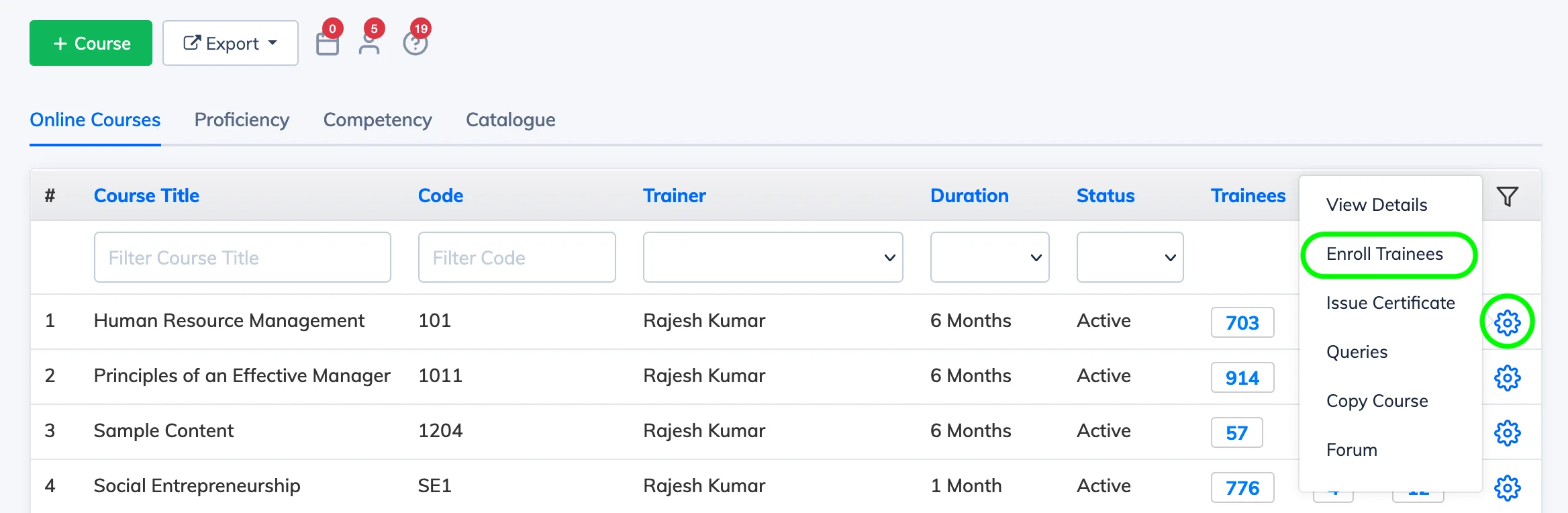
You can enroll Trainees into a course individually from the course settings. For bulk enrollment, see Import Trainees in Bulk.
Steps
- Go to Courses → View Courses.
- Click the Settings icon next to the relevant course and select Enroll Trainees.
- Click Enroll New, select the Trainees you want to enroll, and click Enroll Selected Trainees.
- In the confirmation dialog, set the Enrollment Date – either today or a future date.
- Check Notify Users via Email if you want Trainees to receive an enrollment notification.
- Click Enroll.
Licence: Each enrolled Trainee consumes 1 licence, regardless of how many courses they are enrolled in. The licence remains consumed until the course duration ends – even after the Trainee completes the course.
Completion vs Enrollment status: When a Trainee meets the course completion criteria, their course status changes to Completed but their enrollment status remains Enrolled. They retain access to the course until the duration expires.