A Manager has access to most LMS features – including course management, user enrollment, and reports – but cannot access Customization, Settings, or Integrations. Managers’ permissions can be further refined by an Administrator. See Set Permissions for Manager Role for details.
Create a Manager Account
- Go to Users → Add User.
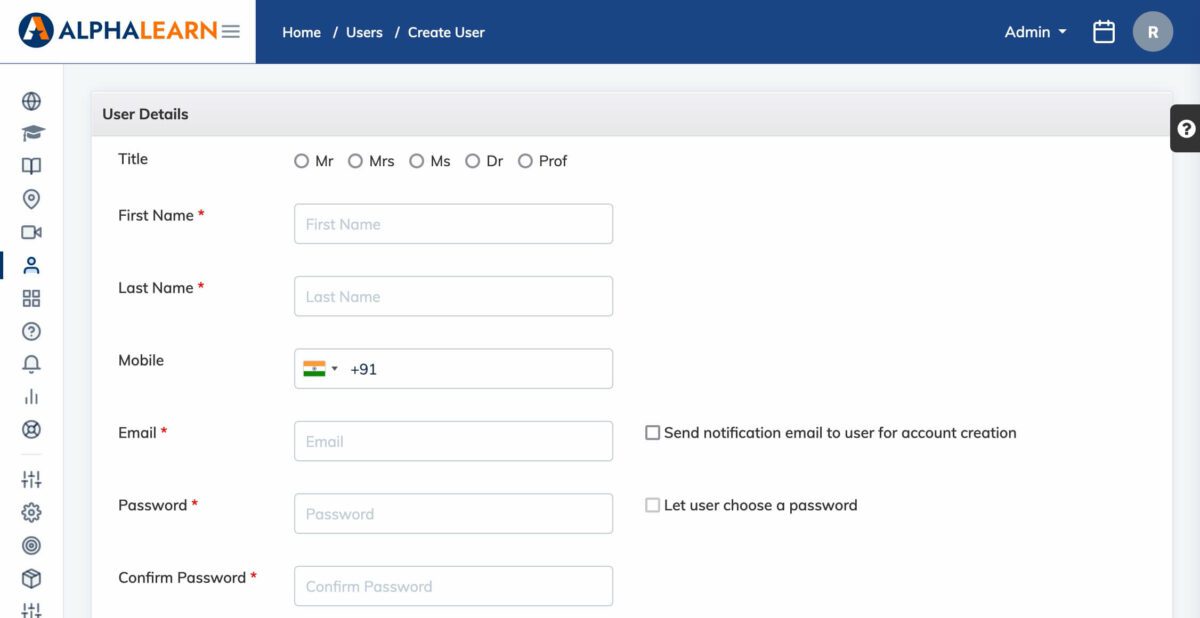
- Fill in the required details: First Name, Last Name, Email, and Mobile Number.
- Set the Role to Manager.
- Configure account options as needed:
- Check Send notification email to user for account creation to notify the user by email.
- Check Let user choose a password to have the user set their own password, or set one on their behalf.
- Click Submit.