improve this article and title (if needed). Include any internal links if required.
title: Set Permissions for Trainer Role
article:
To manage permissions of a Trainer:
- Click on Users and View Users on the navigation bar. It will display list of all users.
- To view the users who are assigned the Trainers role, filter the Role as Trainer.
- Click on the relevant user. Now you will see the User Details Section.
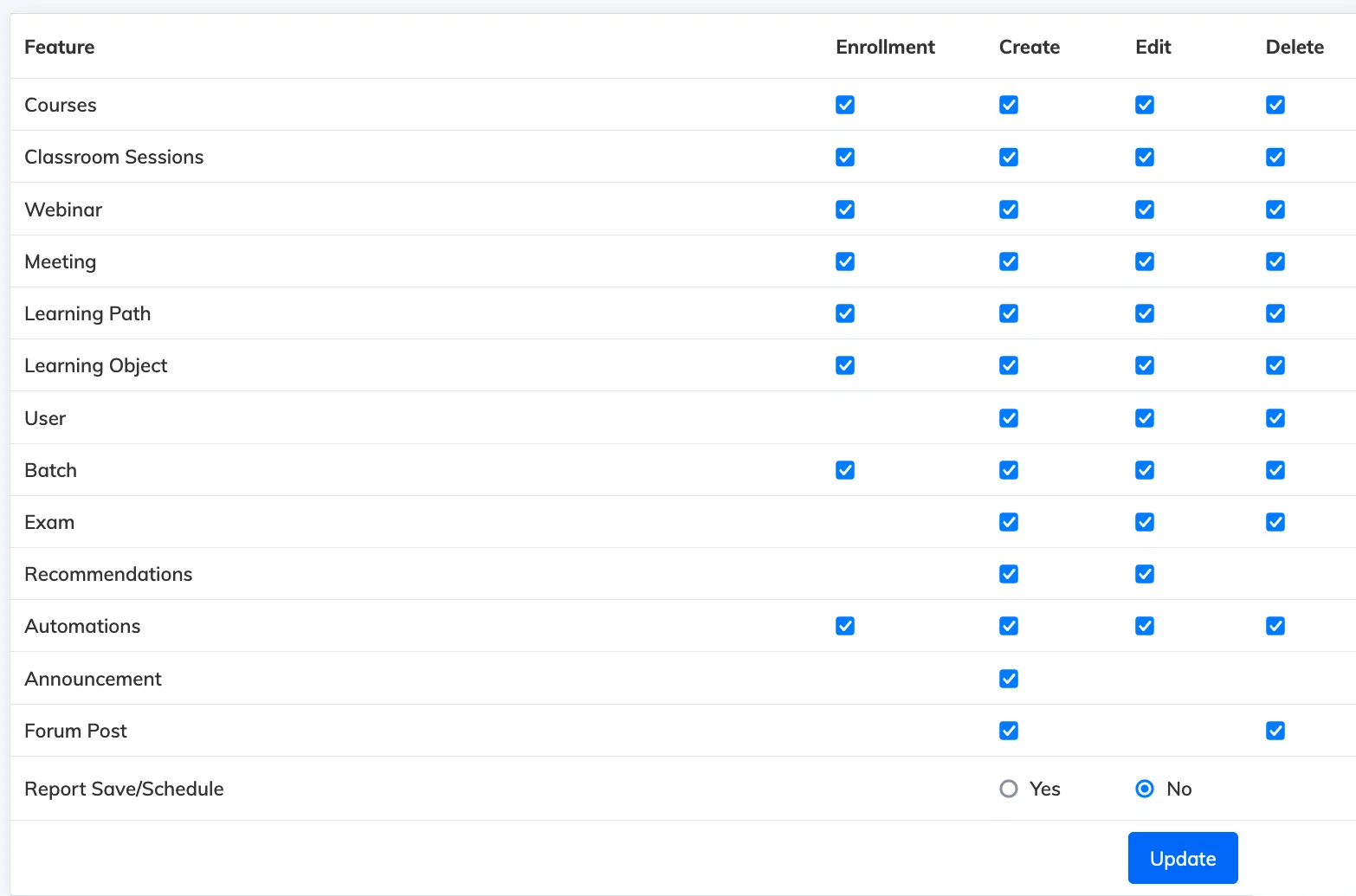
- Click on the Settings icon view the Permissions
- Choose the required permissions and click Update.