A Trainer can manage the courses they are assigned to – including course material, enrolled trainees, forums, queries, announcements, and assignment evaluations. Their permissions can be further refined by an Administrator. See Set Permissions for Trainer Role for details.
Create a Trainer Account
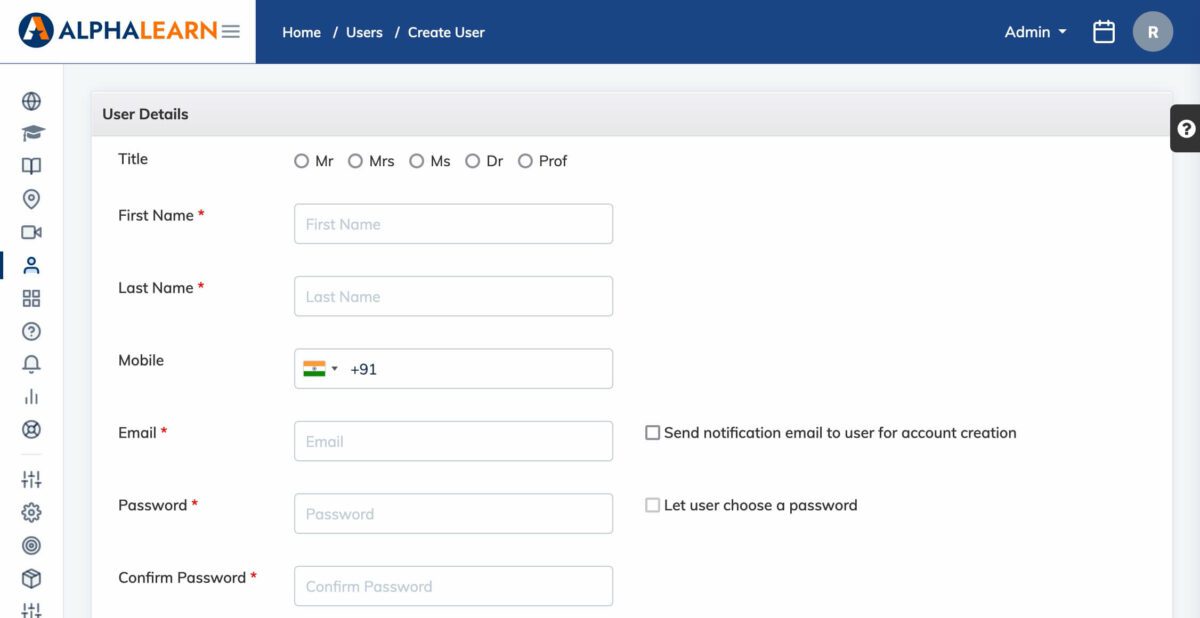
- Go to Users → Add User.
- Fill in the required details: First Name, Last Name, Email, and Mobile Number.
- Set the Role to Trainer.
- Configure account options as needed:
- Check Send notification email to user for account creation to notify the user by email.
- Check Let user choose a password to have the user set their own password, or set one on their behalf.
- Click Submit.
Note: An existing user with an Admin or Manager role can also be empanelled as a Trainer for a specific course without changing their primary role.