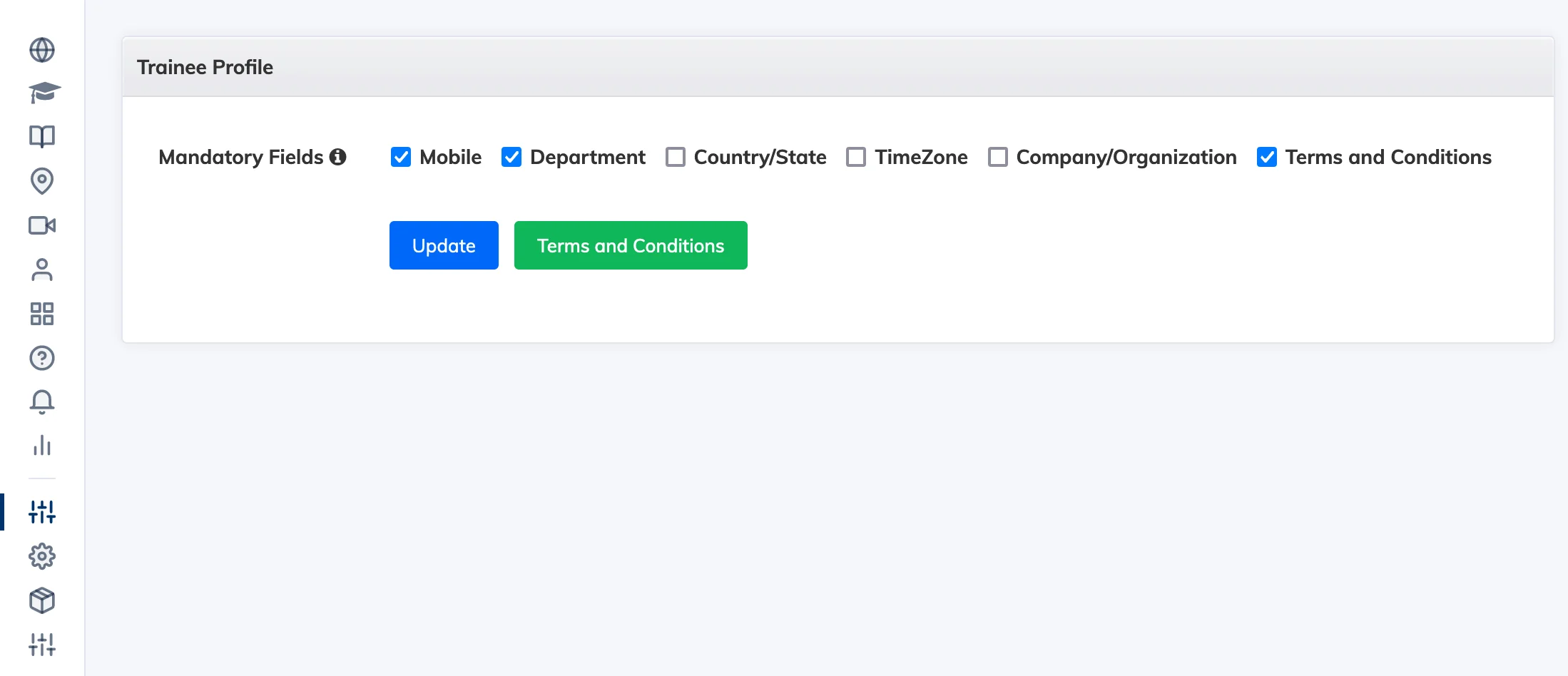
The Trainee Profile settings ensure learners complete specific profile fields on their first login, and optionally accept your organisation’s Terms and Conditions before accessing the LMS.
Require Profile Fields on First Login
- Go to Customize → Trainee Profile.
- Select the fields you want learners to fill in before they can start using the LMS.
- Click Update to save.
Add Terms and Conditions
- Click the Terms and Conditions button, enter a Title and Description, and click Create.
- Check the Terms and Conditions checkbox and click Update to enable it.
- Learners will be required to read and accept the terms before accessing the LMS.
Tracking acceptance: You can see which learners have accepted the Terms and Conditions under Reports → Trainees.