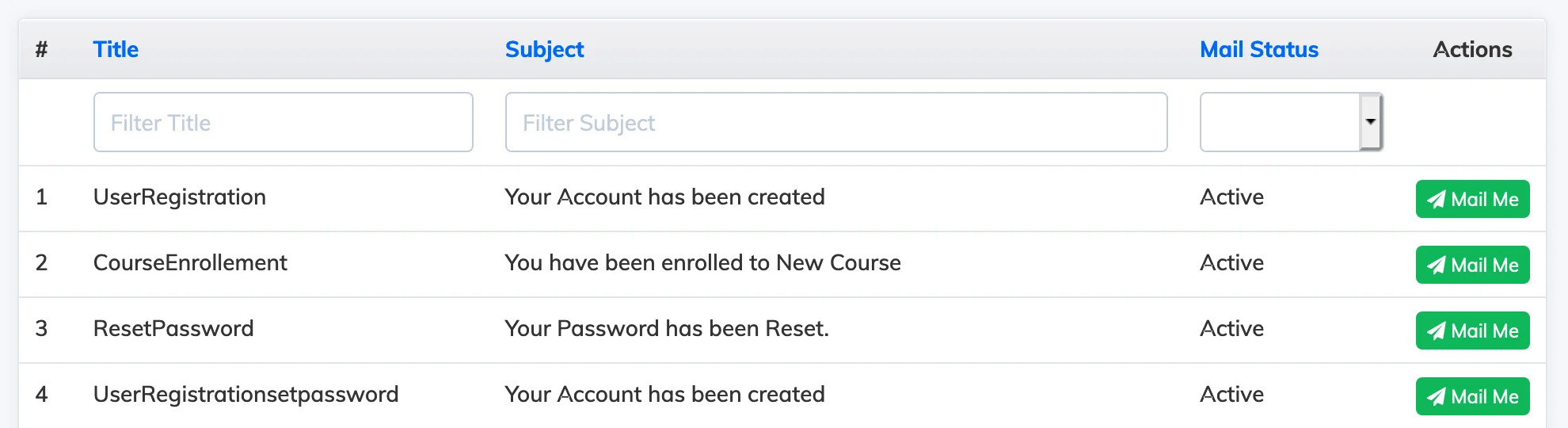
AlphaLearn sends automated emails for events like course enrollment, completion, and reminders. You can customise the content and subject of each template, and create language-specific versions for multilingual learner bases.
Steps
- Go to Customize → Email Templates.
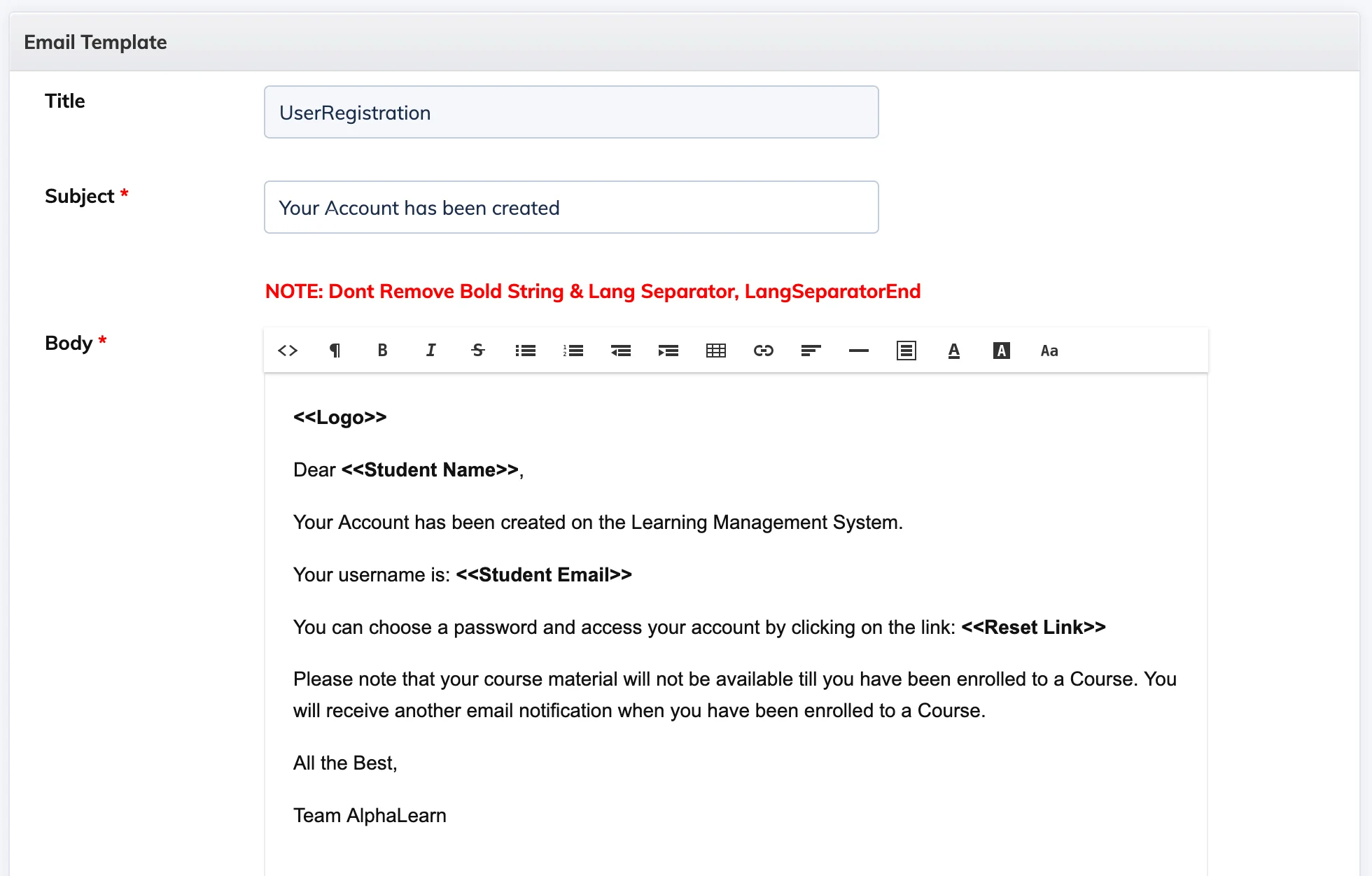
- Click the email template you want to customise.
- Select the language-specific version of the template.
- Edit the Title, Subject, and Email Body as needed.
- Click Update to save your changes.
- Click Mail Me to send a test email to yourself and preview how it looks.
Important: Do not remove any values inside angle brackets (e.g.
<<trainee_name>>). These are dynamic placeholders that are replaced with real data when the email is sent.