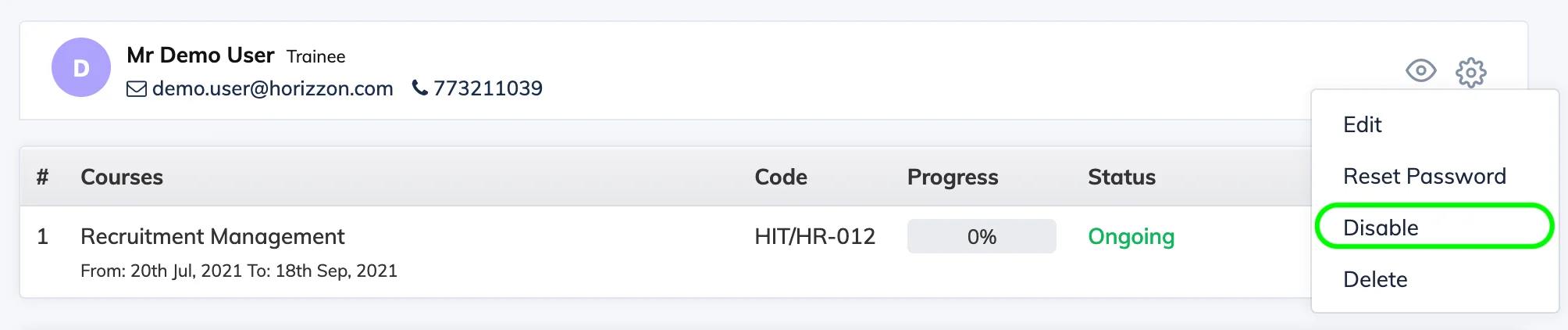
Disabling a Trainee blocks their access to the LMS without deleting their account or losing any course progress.
Steps
- Go to Users → View Users.
- Click on the relevant Trainee to open their User Details.
- Click the Settings icon and select Disable.
What happens when a Trainee is disabled: They cannot log in, but all enrollments, assessment results, and progress are preserved. Re-enabling the account allows them to continue exactly where they left off.
Licence: Disabling a Trainee who is currently enrolled in one or more courses will reduce the licence consumed count by 1.