Use manual certificate issuance to issue certificates to specific Trainees, regardless of course completion status.
Before you begin: A certificate template in DOCX format must be uploaded to the course. See Add a Certificate to a Course for steps.
Steps
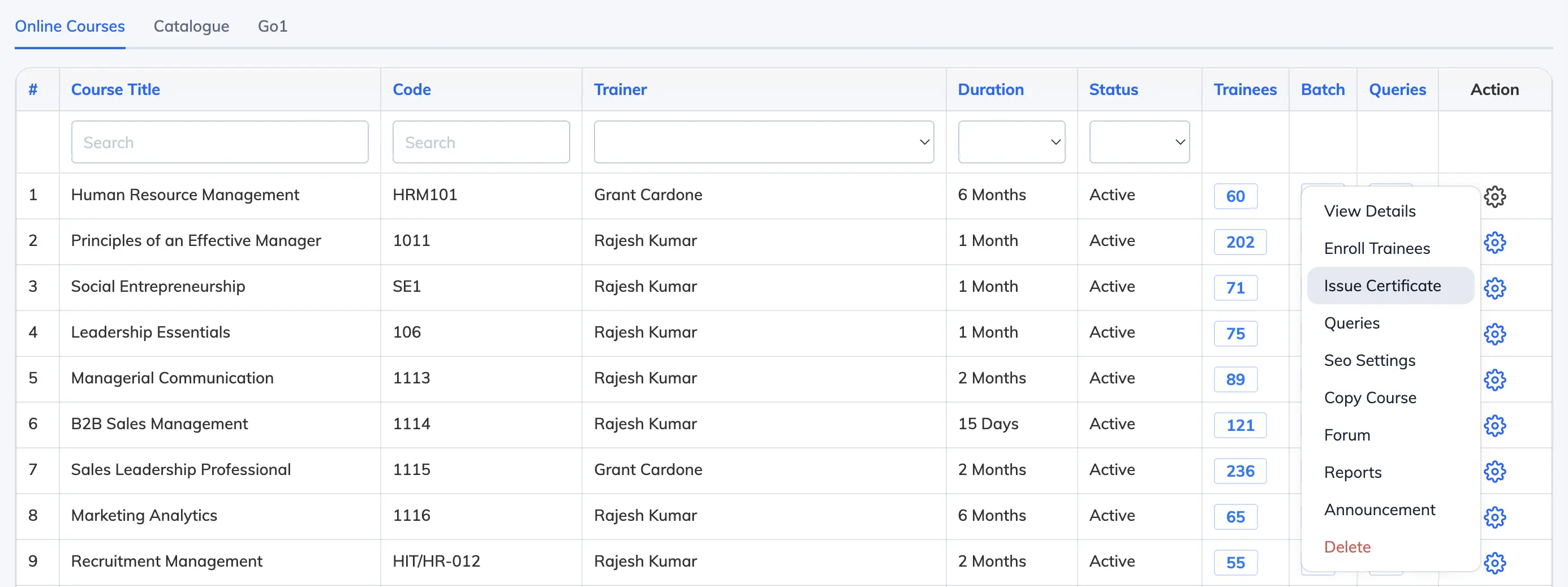
- Go to Courses → View Courses and click the Settings icon next to the relevant course.
- Click Issue Certificate to view the list of Trainees.
- Select the relevant Trainees and click Issue Certificate for Selected Users.
- Confirm the action in the dialog and choose whether to notify Trainees via email.
Tip: To re-issue a certificate that was already issued, click Re-issue next to the relevant Trainee.