Copying a course creates a new course based on an existing one. You can choose to copy just the course settings or include all content as well.
Steps
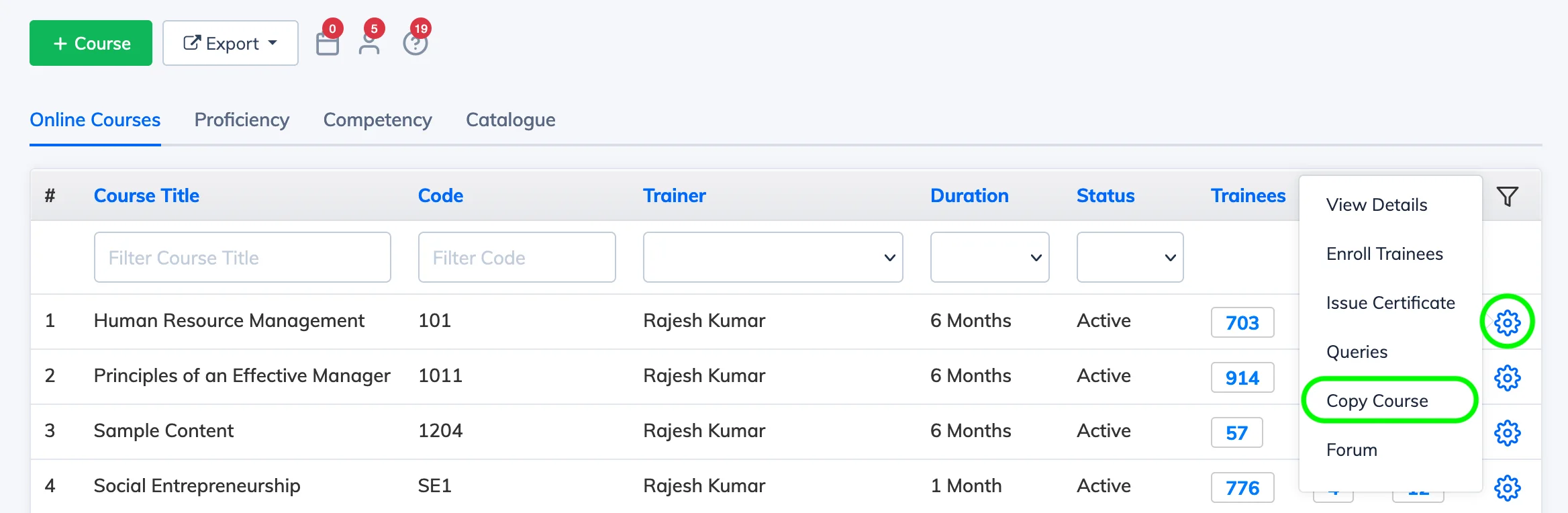
- Go to Courses → View Courses and click the Settings icon next to the relevant course.
- Click Copy Course.
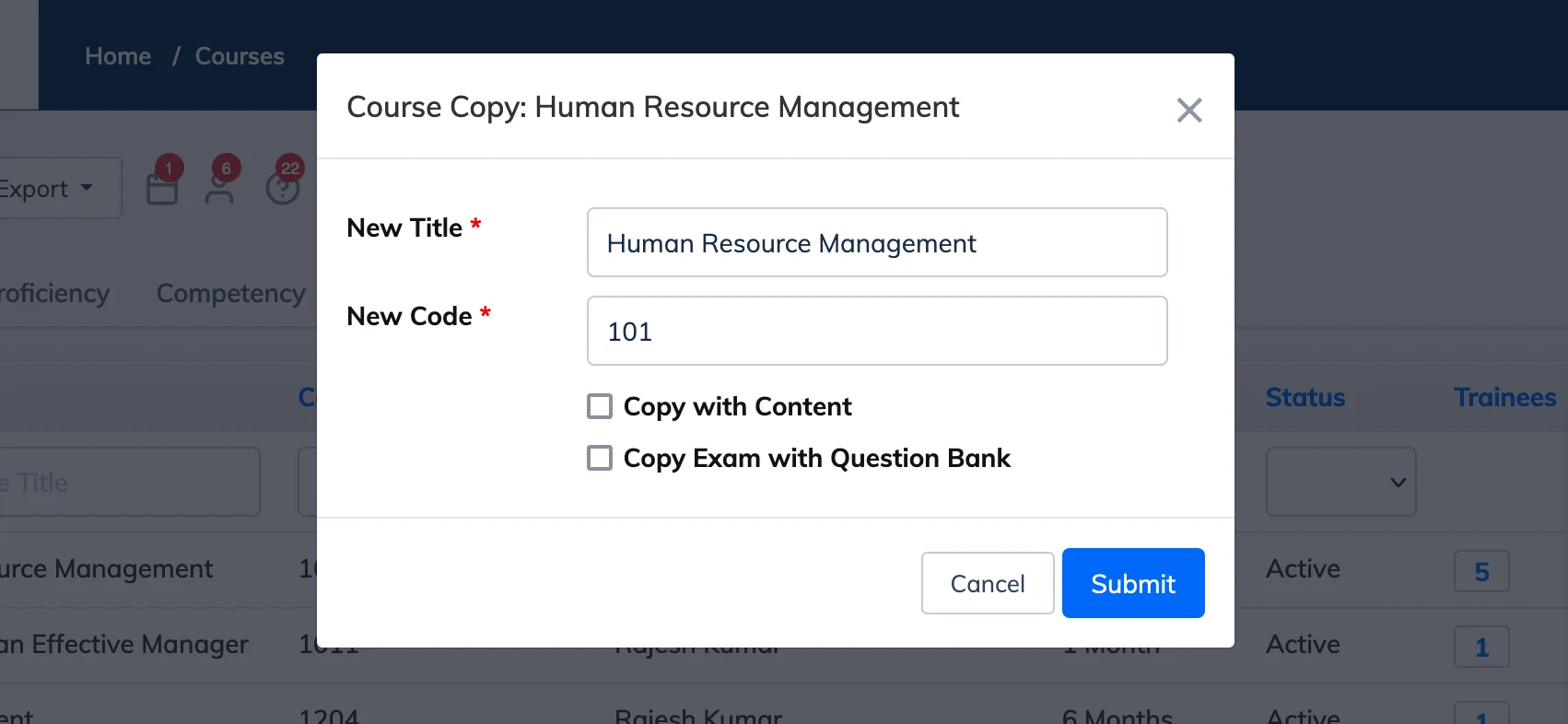
- Enter a Title and Course Code for the new course.
- Select Copy with Content to include all course content in the copy. If left unchecked, only the course settings are copied.
- If the course has an exam, select Copy Exam with Question Bank if needed.
- Click Submit and wait for the copy to complete.