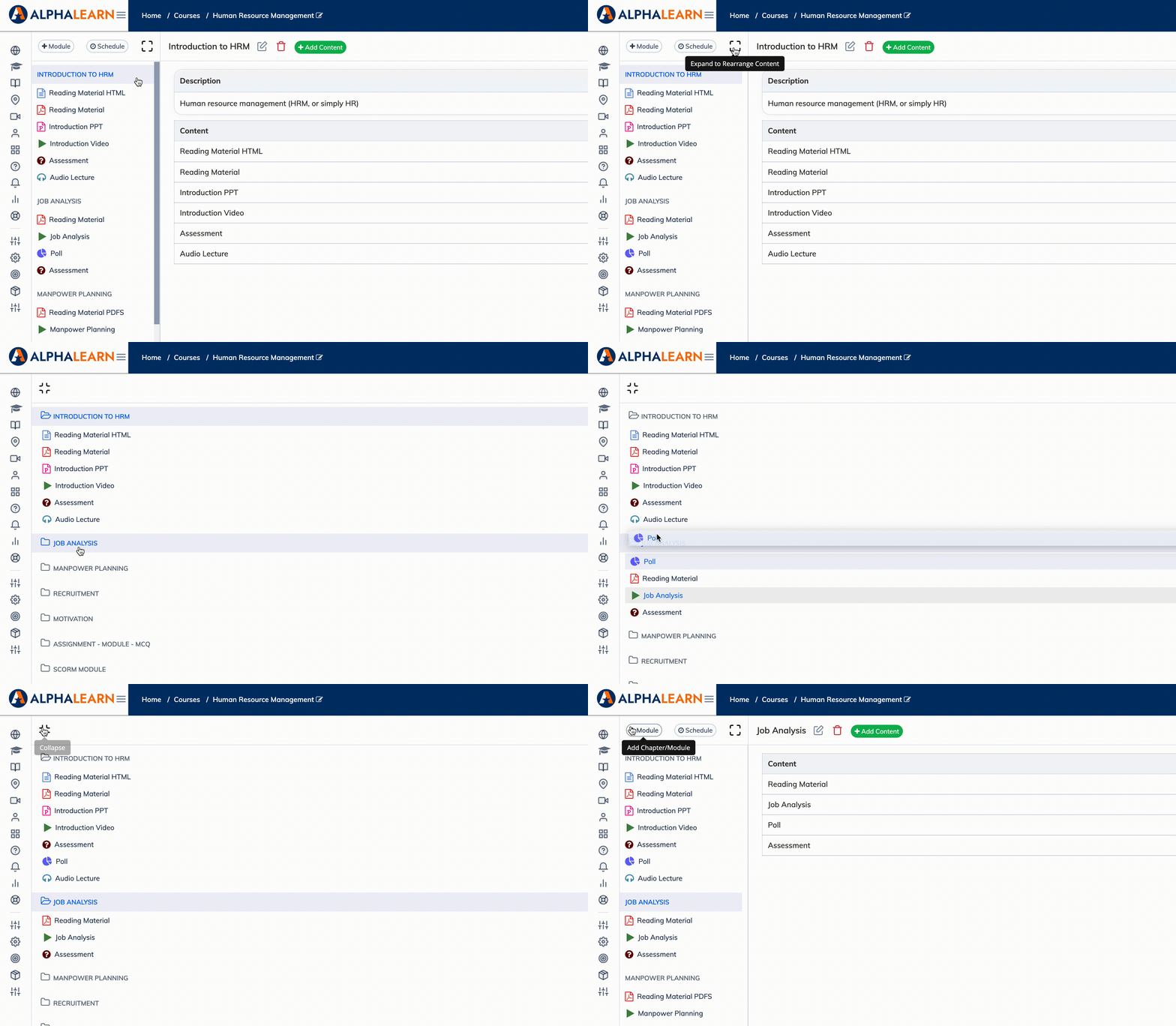
Course content can be rearranged using drag and drop directly from the course view.
Steps
- Go to the relevant course.
- Click Enable Sort Mode on the left-hand side – this expands the full list of modules and content items.
- Drag and drop modules to change their order, or drag individual content items to move them into a different module.
- Click the back arrow to Disable Sort Mode and save the new order.
Before rearranging – check these:
- If course content access is set to Sequence, rearranging is not permitted.
- If the course is locked, unlock it before making changes.
- If there are active enrollments, rearranging content is not recommended as it may affect Trainee progress.