Deleting a course permanently removes it along with all its content and enrollment records. This action cannot be undone.
Steps
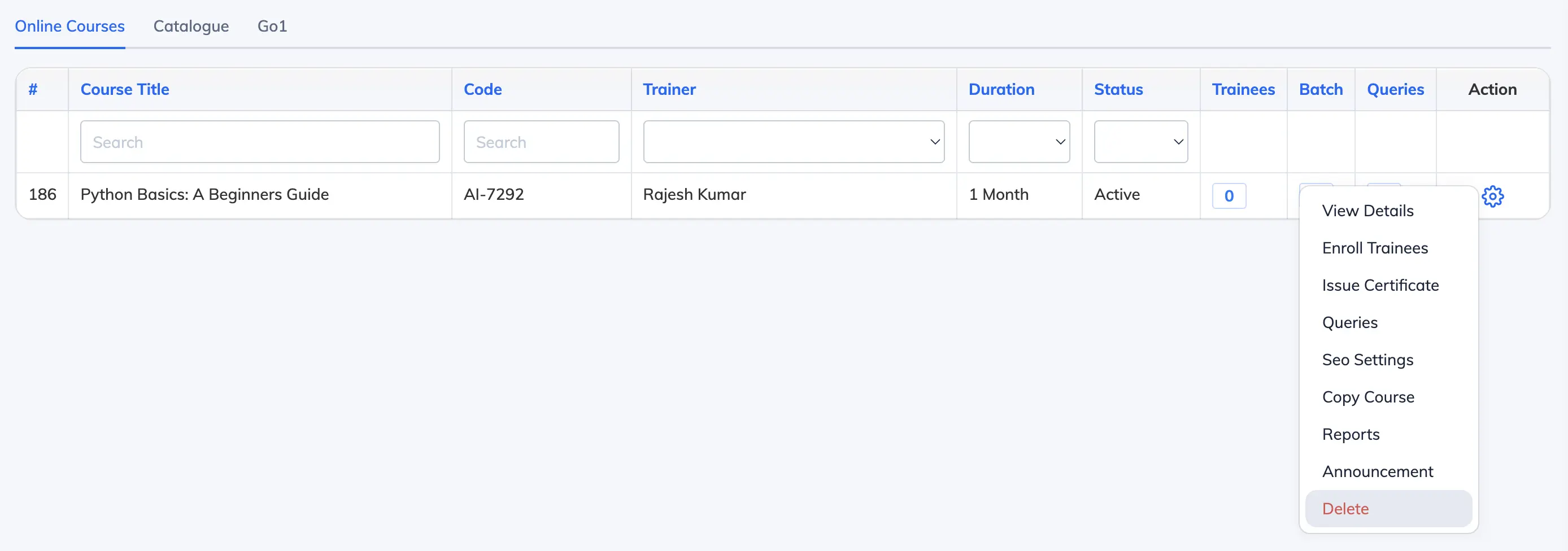
- Go to Courses → View Courses and click the Settings icon next to the relevant course.
- Click Delete.
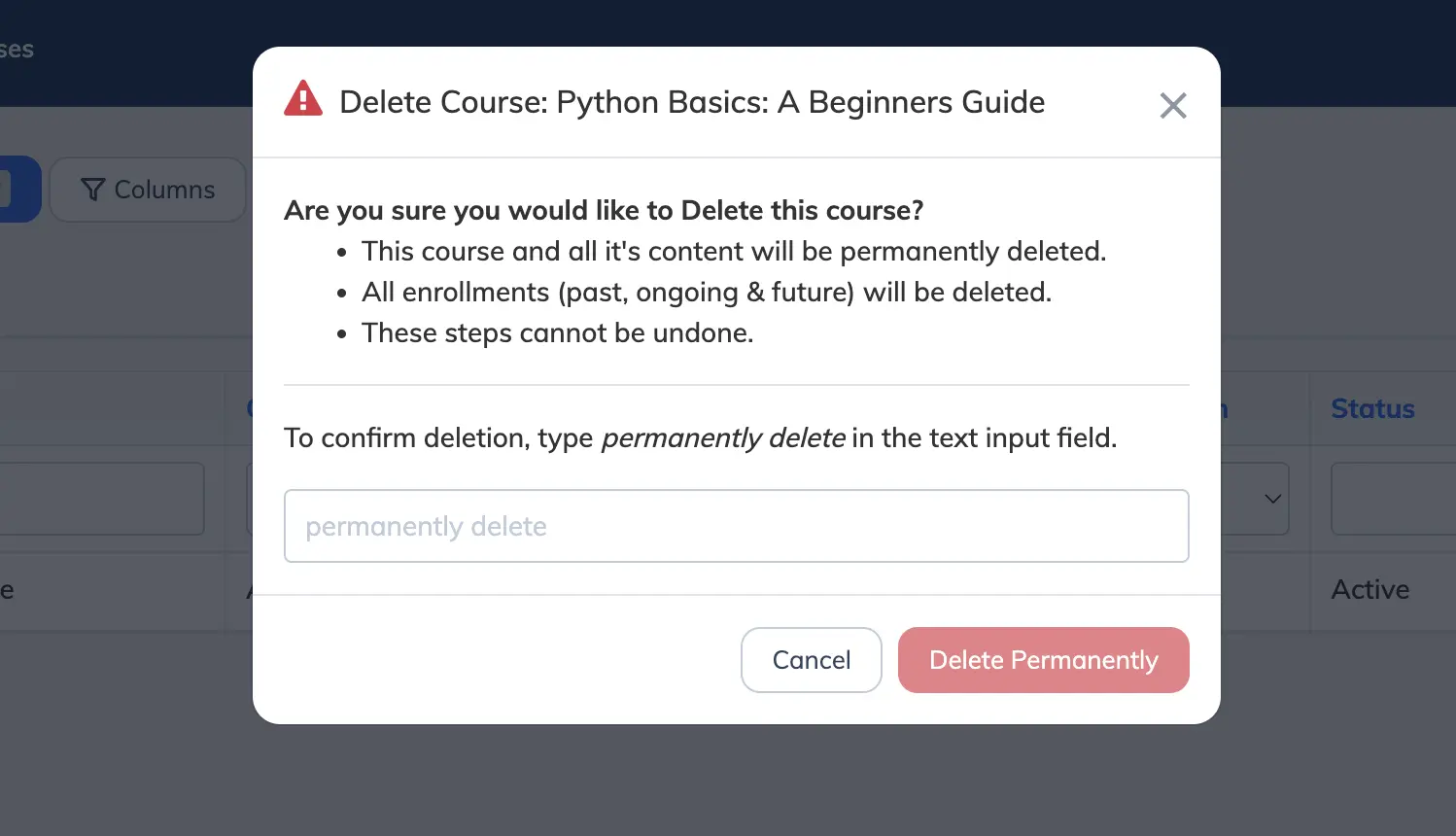
- A confirmation dialog will appear with the following warning:
- This course and all its content will be permanently deleted.
- All enrollments (past, ongoing, and future) will be deleted.
- These steps cannot be undone.
- Type permanently delete in the text field to confirm, then click Delete Permanently.
Note: If the course has active or past enrollments, consider disabling the course instead. Deleting permanently removes the course, all its content, and all enrollment records (past, ongoing, and future).