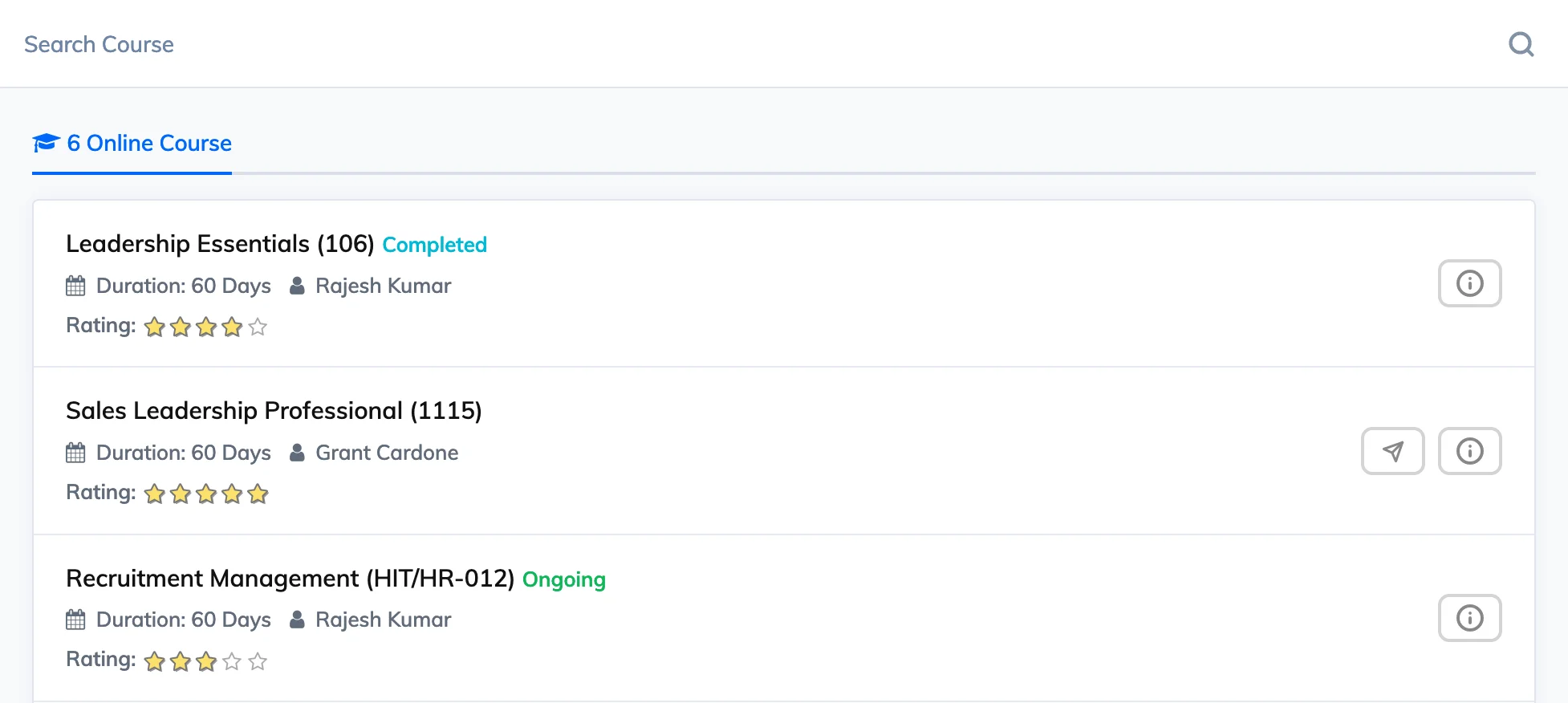
The Course Library lets Trainees discover and enrol in courses that are voluntary in nature. Depending on the course settings, Trainees can either self-enrol or request enrolment.
Steps
- Go to Courses → Add Course and fill in the required details.
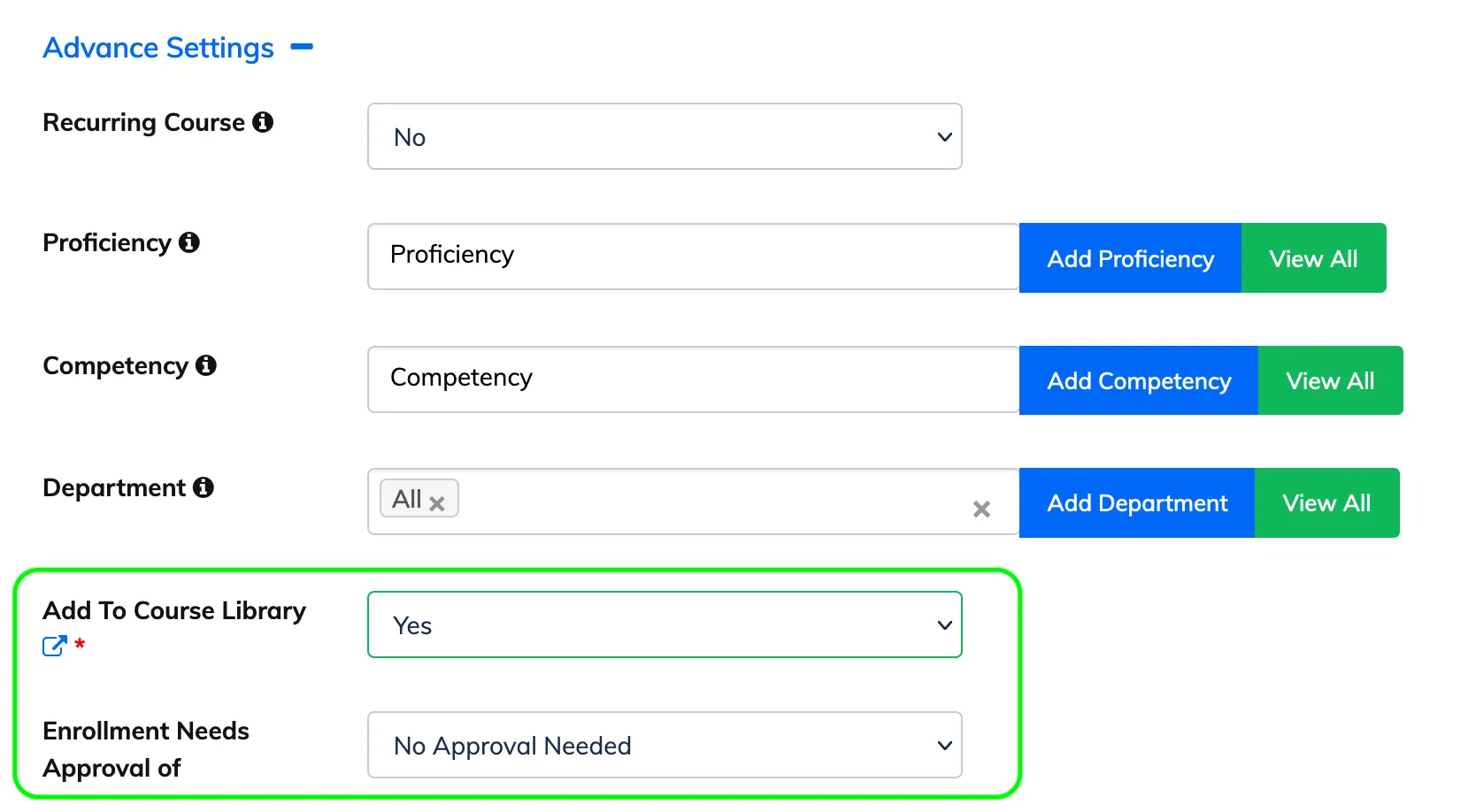
- Click Advanced Settings and set Add To Course Library to Yes.
- Select the appropriate option for Enrollment Needs Approval of and click Submit.
The course will now appear in the Course Library for Trainees to self-enrol or request enrolment.
Target Specific Trainees
When adding a course to the Course Library, you can restrict visibility by Department and Designation – only Trainees in the selected groups will see the course. You can also add Tags to help Trainees find the course using search.
Trainee View