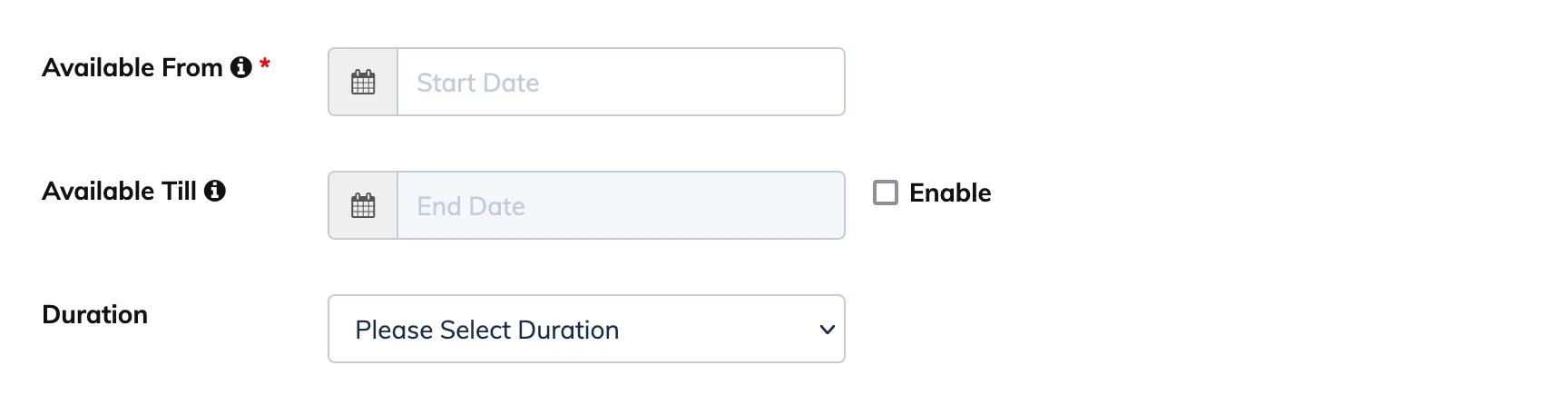
When creating a course you can control when it is open for enrollment and how long each Trainee has access after enrolling.
Course Availability
Defines the window during which Trainees can be enrolled in the course.
- Available From – The date from which enrollments are open.
- Available Till – (Optional) The last date enrollments are accepted. A Trainee can only be enrolled if their enrollment date plus the course duration does not exceed this date.
Example: Duration = 30 days · Available From = 1 Jan · Available Till = 31 Dec → last possible enrollment date = 1 Dec.
Course Duration
The number of days a Trainee has access to the course after enrolling. Once enrolled, Trainees can see their personal start and end dates on the course.
- Course Start Date – The date the Trainee enrolled.
- Course End Date – The date their access expires, calculated as Start Date + Duration.
Note: Course duration also affects when a course is marked complete. If Course Completion Criteria is set to When Course Duration Ends, the course is marked complete when the end date is reached – even if the Trainee has not viewed all content.