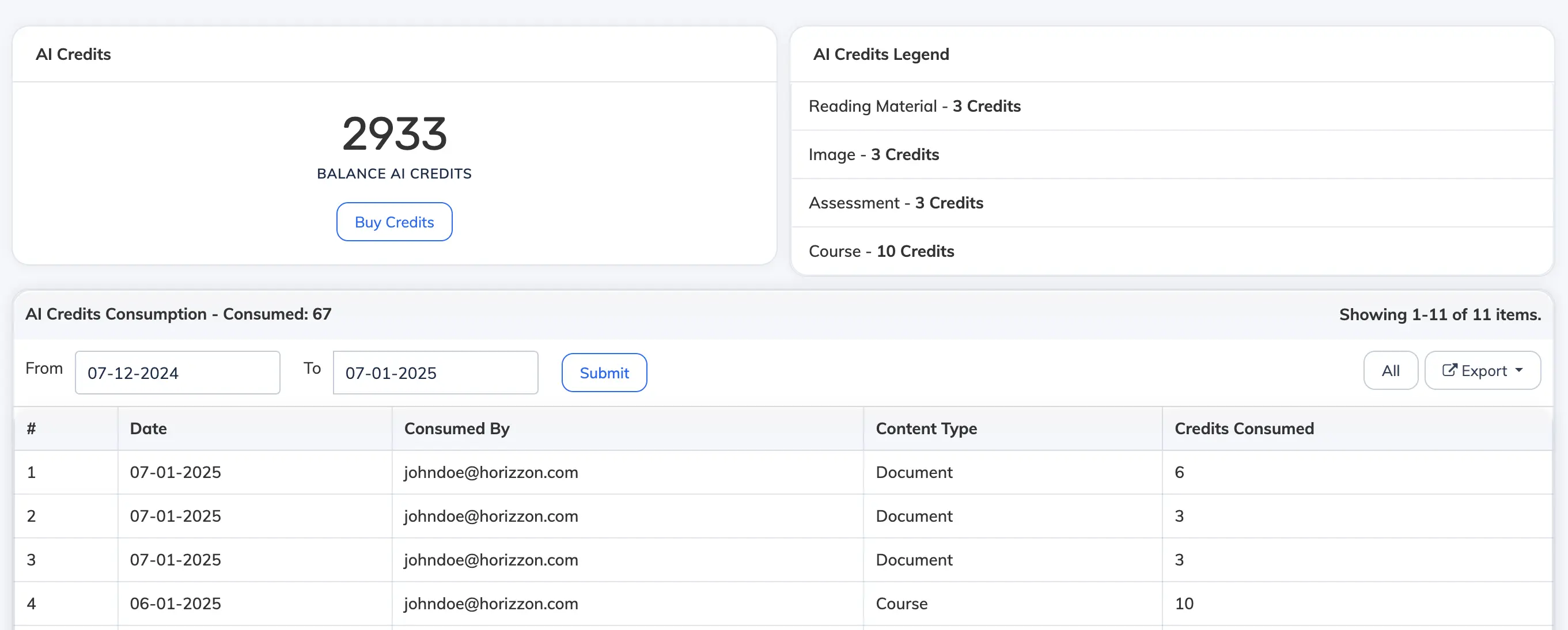
AlphaLearn can generate SCORM course content using AI from a topic or an uploaded PDF. Follow the steps below to add AI-generated content to a course and manage your AI credits.
Add AI-Generated Content to a Course
- Go to Courses → View Courses and open the relevant course.
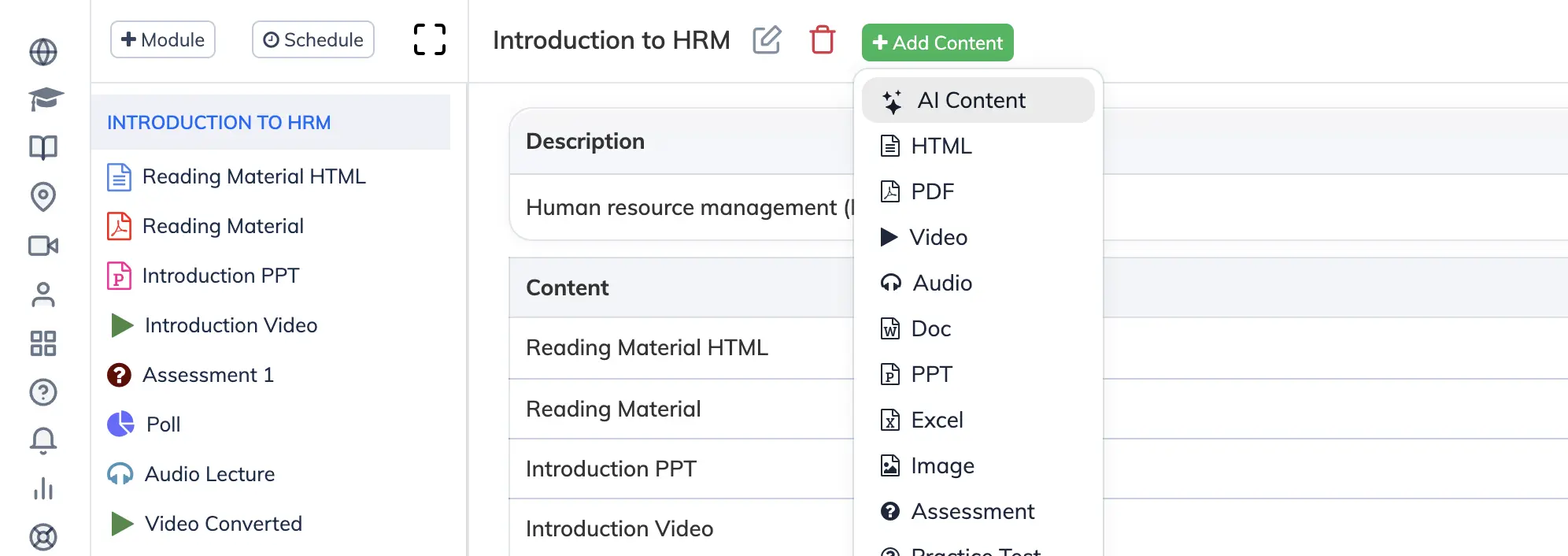
- Click the module where you want to add content.
- Click Add Content and select AI Content.
- Under Content Source, choose one of the following options:
Topic
Enter a descriptive topic name. AI will generate slide content based on the topic.
- Include Quiz: Choose Yes to add a quiz at the end of the course and specify the number of questions and minimum passing score, or No to skip.
- Enforce Slide Order: Choose Yes to require Trainees to complete slides in sequence, or No to allow free navigation.
- Voiceover: Choose Yes to enable text-to-speech narration, or No to disable it.
- Click Create to generate the course.
PDF (Auto Formatted)
Upload a PDF. AI will reformat the content into slides.
- Include Quiz: Choose Yes to add a quiz at the end of the course and specify the number of questions and minimum passing score, or No to skip.
- Enforce Slide Order: Choose Yes to require Trainees to complete slides in sequence, or No to allow free navigation.
- Voiceover: Choose Yes to enable text-to-speech narration, or No to disable it.
- Click Create to generate the course.
PDF (Maintain Document Format)
Upload a PDF. The course will preserve the original layout and formatting of the document.
- Enforce Slide Order: Choose Yes to require Trainees to complete slides in sequence, or No to allow free navigation.
- Click Create to generate the course.
Manage AI Credits
Your subscription includes a set number of complimentary AI credits. Each content generation uses credits based on the source type and length.
- Go to Settings → AI Credits to view your available balance and usage history.
- To top up, click Buy Credits and submit a purchase request.