
The AI Question Generator creates multiple-choice questions (MCQs) from a topic or PDF document. Review and edit questions before saving them to the Question Bank. AI Credits required are calculated when you click Generate – any unused credits are refunded automatically after generation.
Access the AI Question Generator
- Go to Menu → Evaluation → Question Bank.
- Click AI Question Generator.
Generate from Topic
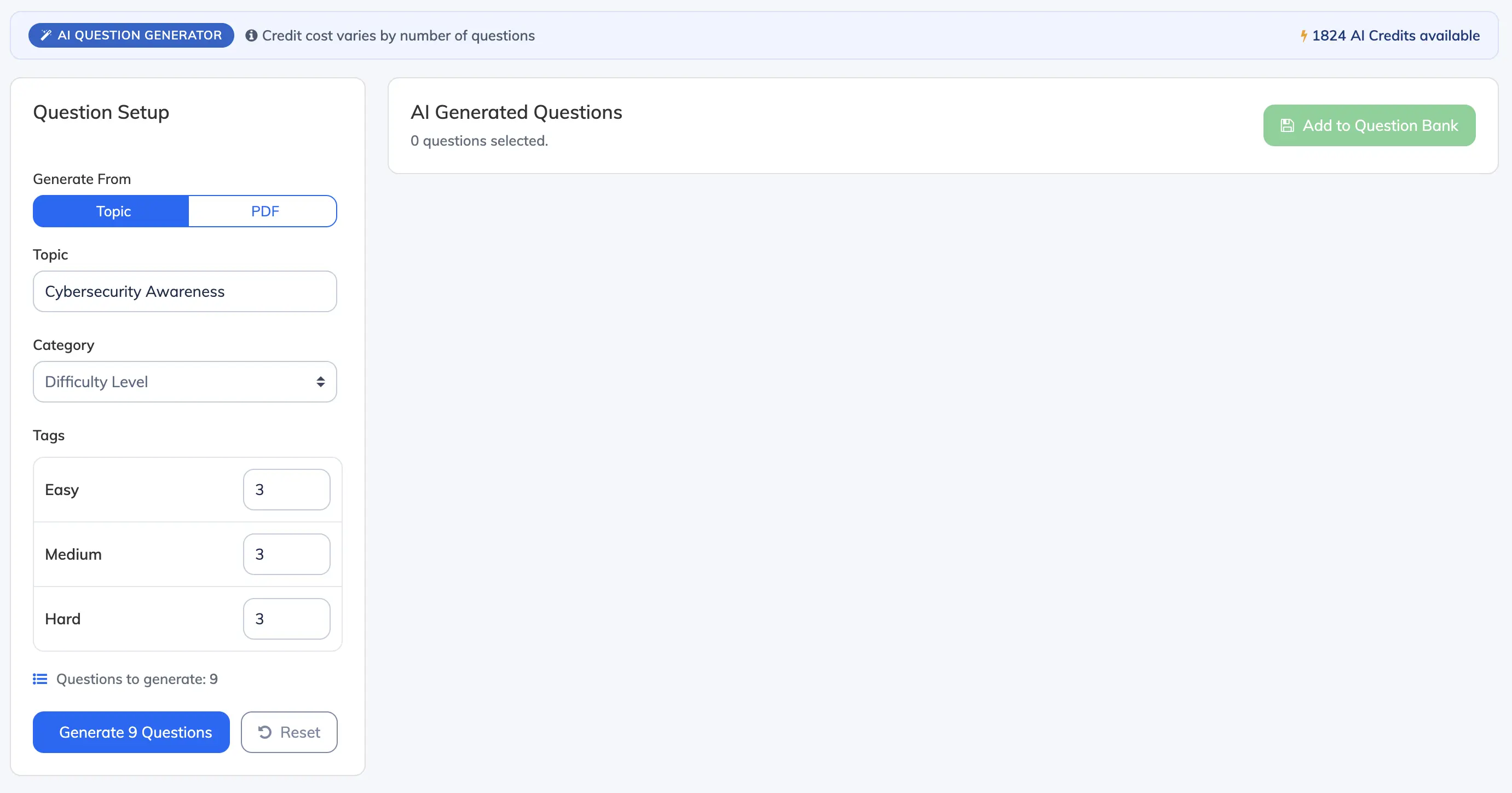
- Select Topic under Generate From.
- Enter a Topic – the subject for which questions will be generated (e.g. “Cybersecurity Awareness”).
- Select a Category from the dropdown. Only categories with at least one active tag are listed.
- Under Tags, enter the number of questions to generate per tag.
- Click Generate N Questions.
- A Confirm Generation dialog appears showing the AI Credits required, your current balance, and the balance after generation. Click Proceed to generate.
Generate from PDF
- Select PDF under Generate From.
- Click the upload area and choose a PDF document (max ~20,000 words). The PDF content will be used as the source for questions.
- Select a Category from the dropdown.
- Under Tags, enter the number of questions to generate per tag.
- Click Generate N Questions.
- A Confirm Generation dialog appears showing the AI Credits required, your current balance, and the balance after generation. Click Proceed to generate.
Note: AI Credits required vary based on topic complexity or PDF size. Any unused credits are refunded automatically after generation.
Review and Save Questions
- Once generation is complete, the AI Generated Questions panel appears on the right. Each card shows the category, tag, and correct answer.
- Edit the question text and answer options directly within the card if needed.
- Optionally enter a unique Question ID (e.g. Q-001).
- Select the questions you want to keep using the checkboxes, then click Add to Question Bank.
Note: Clicking Generate New Questions discards all unsaved questions from the current batch. Save any questions you want to keep before starting a new generation.
AI Credits
Your available balance is shown in the top right of the AI Question Generator. It updates automatically after each generation. To view usage history or top up, go to Settings → AI Credits.