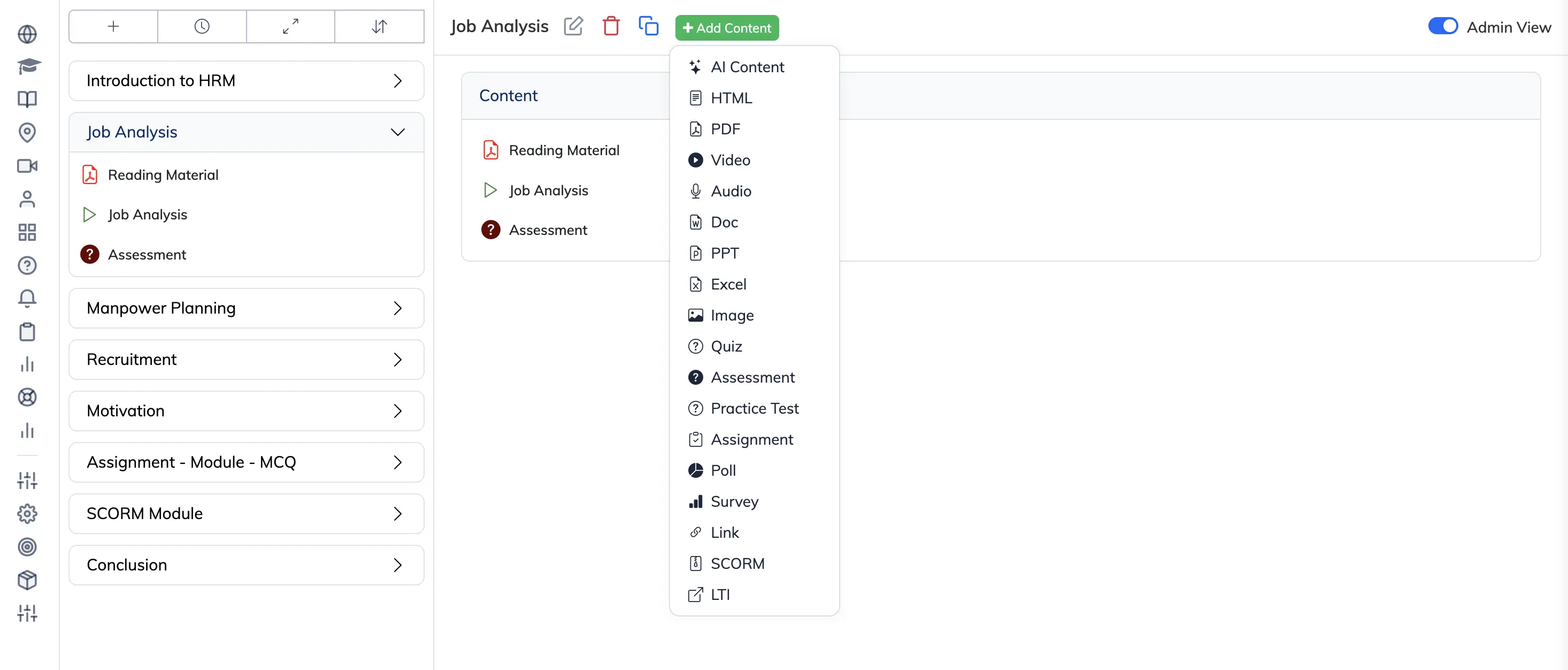
AlphaLearn supports the following content types. Click + Add Content inside any module to see these options.
HTML
Create rich text content directly in AlphaLearn using the built-in WYSIWYG editor. Supports text formatting, images, and links.
Upload a PDF file (max 250 MB). Two display modes are available:
- View as PDF: Trainees view the file as a standard PDF. Leave the View as Slide option disabled.
- View as Image: The PDF is converted to images slide by slide. Enable the View as Slide option.
Note: PDF files uploaded via Add Content → PDF do not support a download option for Trainees. To allow Trainees to download a PDF, upload it via Add Content → PPT instead with View as Slide disabled. See the PPT / PPTX section below.
Video
See Adding Video Content for supported formats and upload steps.
Audio
Upload audio files in MP3 format. Maximum file size: 100 MB.
DOC / DOCX
Upload Word documents (max 250 MB). Enable View as Image to convert the document to images – this prevents Trainees from downloading or copying the text.
PPT / PPTX
Upload PowerPoint presentations or PDF files (max 250 MB).
- View as Slide disabled: The file is displayed as-is and Trainees can download it. Use this option when you want to allow download of a PPT or PDF file.
- View as Slide enabled: The file is converted into individual slides. Trainees cannot download or copy the content.
XLS / XLSX
Upload and share Excel files with Trainees.
Image
Upload images in JPG, PNG, GIF, or BMP format. Maximum file size: 25 MB.
Quiz
Create question-based assessments with the following question types: Multiple Choice (MCQ), True/False, Yes/No, and Subjective. A Time Barred option is available to set a time limit for the quiz.
Two quiz types are available:
- Practice: Learning-oriented with no passing percentage. Subjective questions are not available.
- Mastery: Pass/fail grading with a required passing percentage. Supports all question types including Subjective.
See Create and Manage a Quiz for detailed steps.
Polls and Surveys
Create feedback forms with an option to show or hide results from Trainees.
- Poll: Single question.
- Survey: Multiple questions.
Link
Share a web URL by entering a title and the full URL, then clicking Create.
SCORM
Upload SCORM packages in SCORM 1.2 or SCORM 2004 format. Maximum file size: 2 GB. Select the correct version, upload the ZIP package, and click Submit.
LTI
AlphaLearn supports LTI 1.1. Enter the required connection details including completion criteria and click Submit.