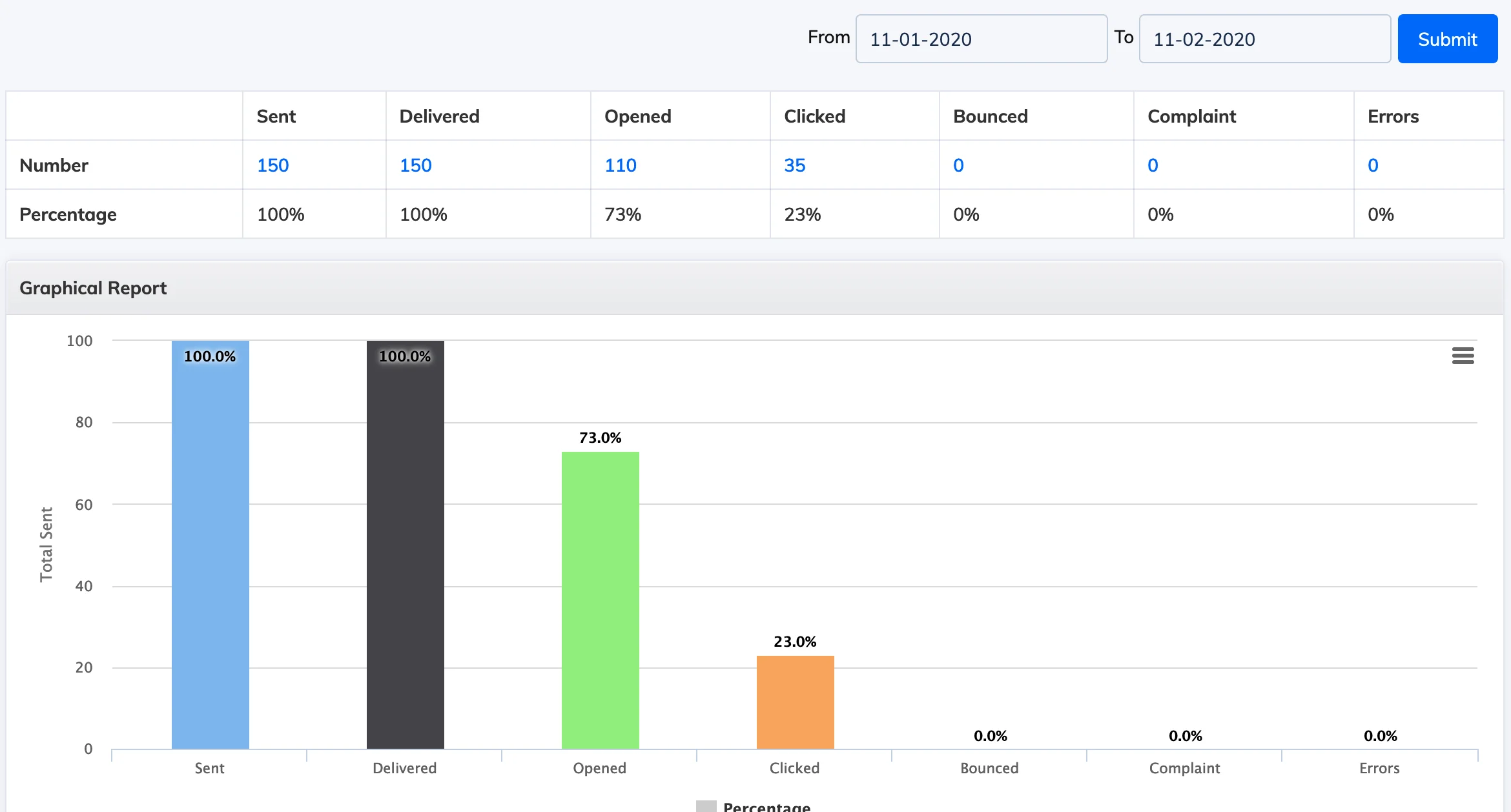
The Email Activity Report gives an analytical overview of all emails sent from the LMS – including delivery, open, click, bounce, complaint, and error metrics.
View the Report
- Go to Reports → Mail Activity.
- The report defaults to yesterday’s data. Adjust the date range as needed.
Metrics shown: Sent, Delivered, Opened, Clicked, Bounced, Complaint, and Errors.