
Integrating with WhatsApp allows AlphaLearn to send automated WhatsApp notifications to your learners – such as course assignments, reminders, and completion updates. AlphaLearn uses MSG91 as the WhatsApp provider.
Prerequisites: You need an active MSG91 account and a WhatsApp Business account set up through MSG91 before starting. See MSG91’s WhatsApp Business setup guide if you haven’t done this yet.
Step 1: Connect MSG91 in AlphaLearn
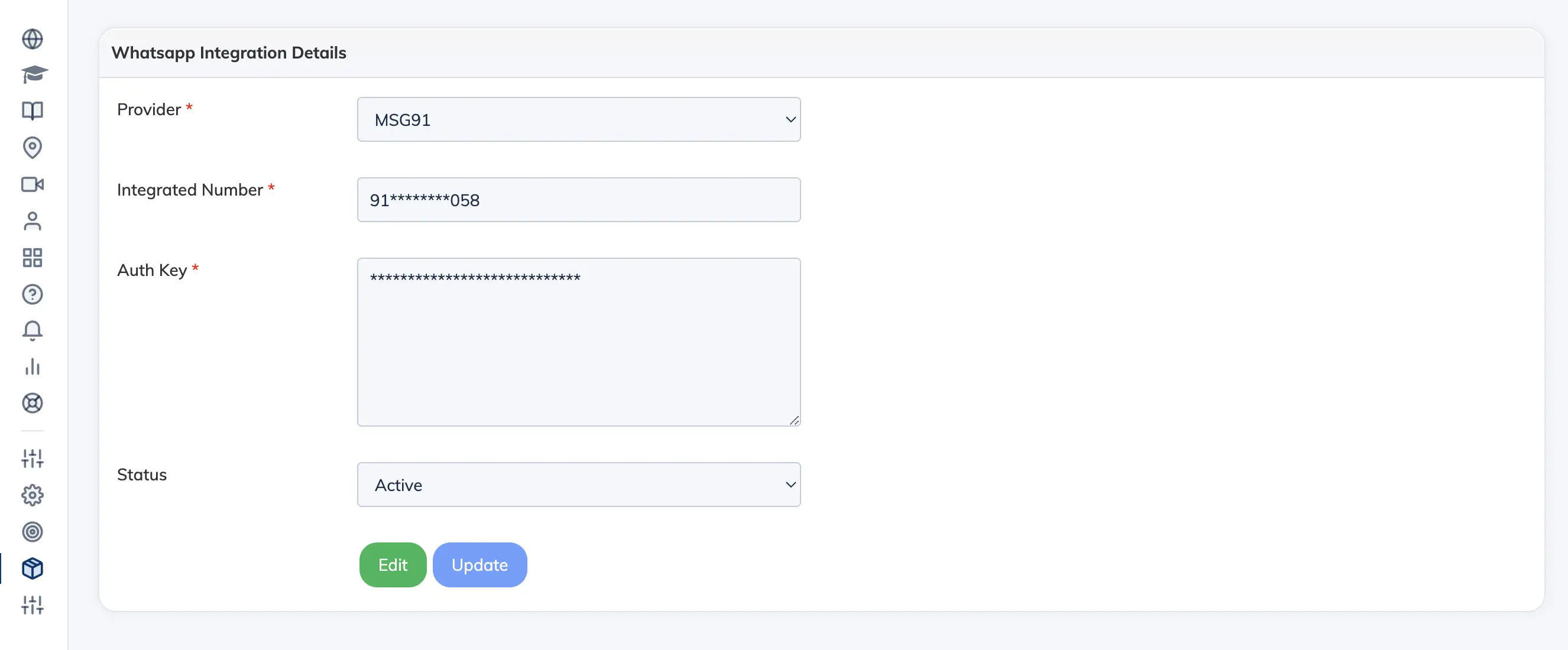
- Go to Integrations → WhatsApp.
- Select MSG91 as the Provider.
- Enter your Integrated Number (your WhatsApp Business number) and your MSG91 Auth Key.
- Click Submit to save.
Step 2: Set Up Message Templates
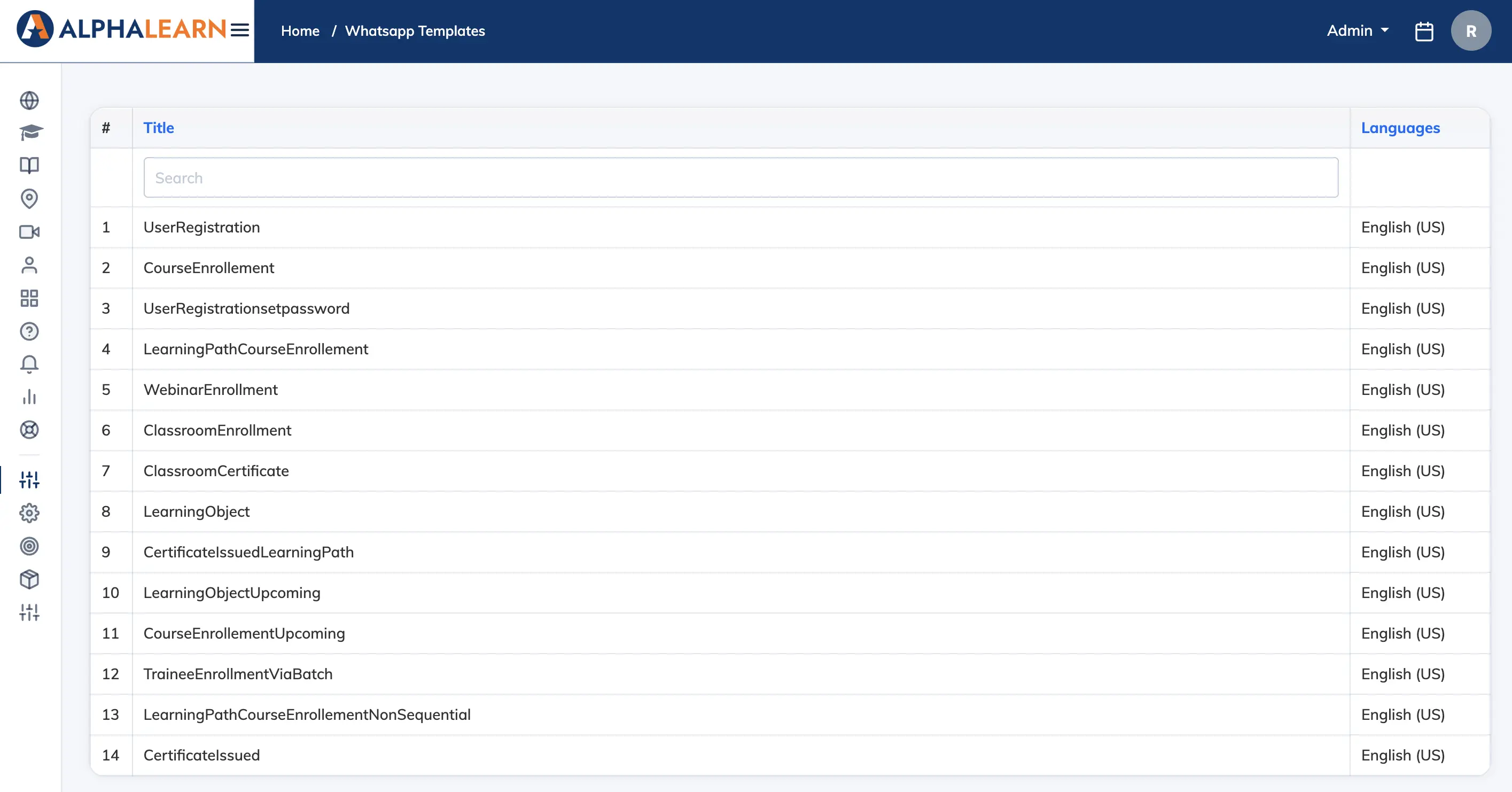
- Go to Customize → WhatsApp Templates.
- Select a template to view or edit it.
- Make any required changes, then click Submit for Approval. Templates are reviewed by MSG91 and Meta before they can be used.
- Once approved, set the template status to Active.
Important: Do not remove or modify text inside double curly braces (e.g.
{{name}}). These are dynamic variables replaced with real values when messages are sent. Templates cannot be edited after submission for approval – finalise all changes first.
Step 3: Test a Template
- On any active template, click Send Notification.
- A test message will be sent to the administrator’s registered mobile number.
- Confirm the message is received and formatted correctly before going live.
Troubleshooting
- Double-check your MSG91 Auth Key and Integrated Number.
- Confirm your WhatsApp Business account is active in the MSG91 dashboard.
- Ensure templates have been approved before testing.
If the issue persists, raise a support ticket from within the LMS or contact MSG91 support directly.