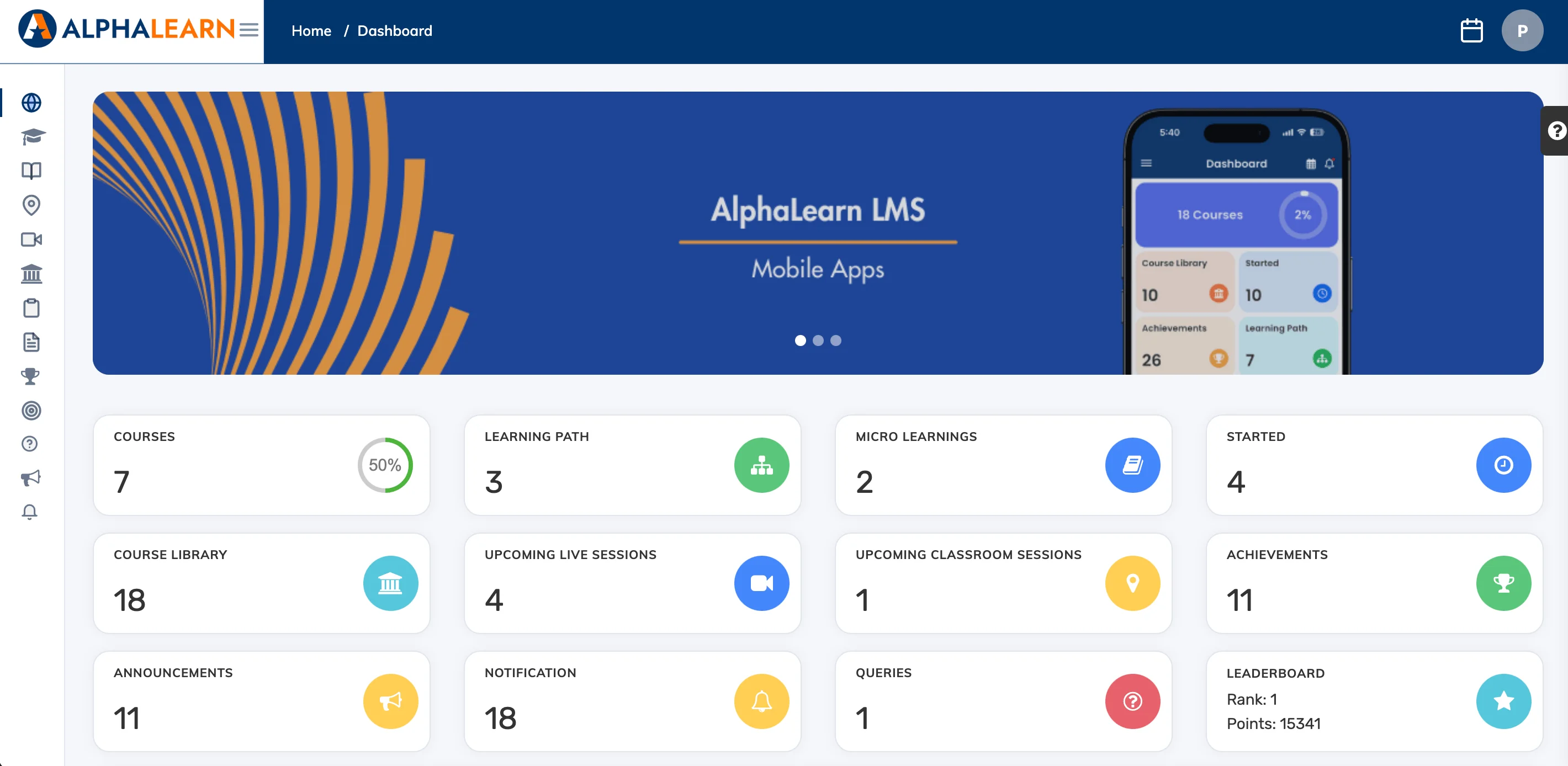
The Dashboard is the first screen you see after logging in. It gives you a snapshot of your training activity and quick access to key information.
What’s on the Dashboard
The Dashboard displays tiles for:
- Courses – your enrolled courses and progress
- Total Progress – overall completion across all courses
- Achievements – completed courses and earned certificates
- Leaderboard – your ranking based on points earned
- Course Statistics – enrollment and completion summary
- My Team – progress overview for your team members (if applicable)
To return to the Dashboard from any screen, click Dashboard in the navigation bar.
Tip: The tiles shown on your dashboard depend on what your administrator has enabled. See Customize the Trainee Dashboard for more details.