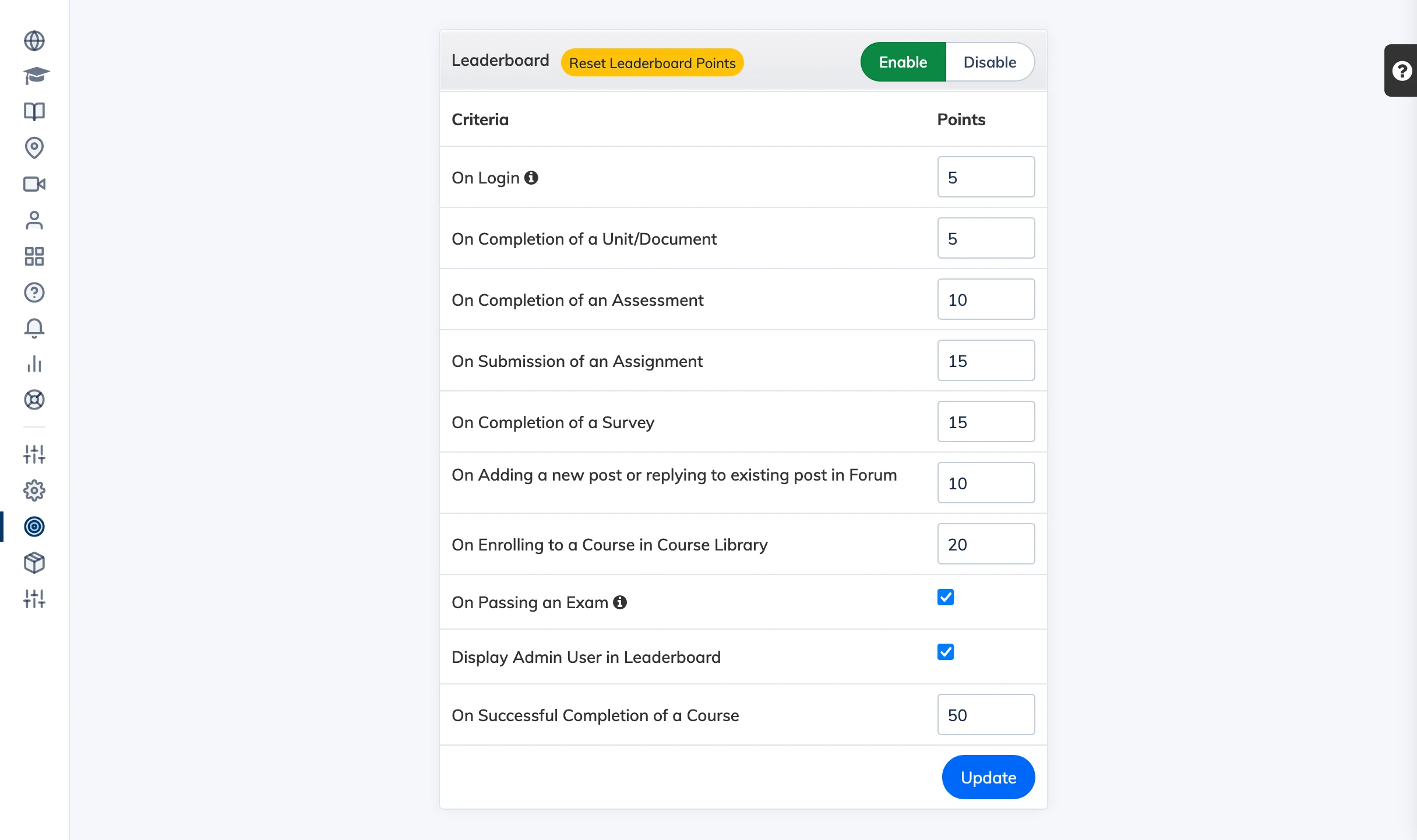
The Leaderboard ranks Trainees based on points earned through activities in the LMS, encouraging healthy competition and continued engagement.
Enable and Configure
- Go to Gamification → Leaderboard.
- Click Enable to activate the leaderboard for your organisation.
- Enter the points to award for each activity criteria.
- Click Update to save.
Reset Leaderboard Points
- Go to Gamification → Leaderboard.
- Click Reset Leaderboard Points and confirm.
Note: Resetting the leaderboard sets all Trainee points to 0. This action cannot be undone.
Tip: View a detailed breakdown of Trainee points and rankings in the Leaderboard Report.