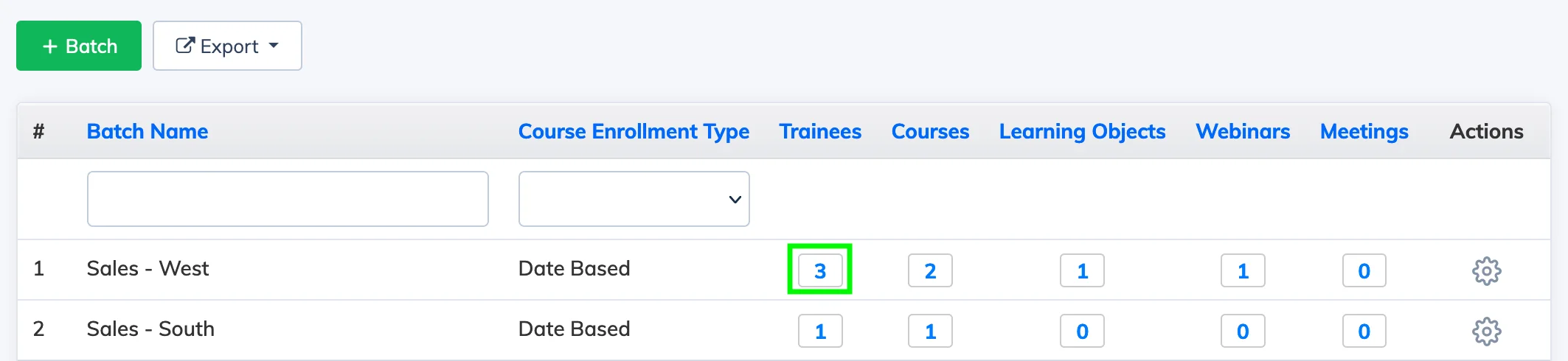
Batches let you group Trainees together and enroll them in courses collectively. When a Trainee is added to a batch, they are automatically enrolled in all courses assigned to that batch.
Steps
- Go to Batches in the navigation bar.
- Click the Trainee Count in the Trainee column for the relevant batch to view its current members.
- Click + Trainee to Batch, select the Trainees to add, and click Submit.
Note:
- Trainees added to a batch are automatically enrolled in all courses assigned to that batch.
- If a Trainee is already directly enrolled in a course that is part of the batch and their enrollment is still active, they will be re-enrolled when added to the batch.