A Learning Object is AlphaLearn’s micro-learning format – a standalone course built around a single piece of content such as a PDF, video, or quiz. It is ideal for delivering focused, bite-sized training without the structure of a full multi-module course.
Step 1: Create the Learning Object
- Go to Learning Objects in the navigation bar.
- Click + Learning Object to open the create form.
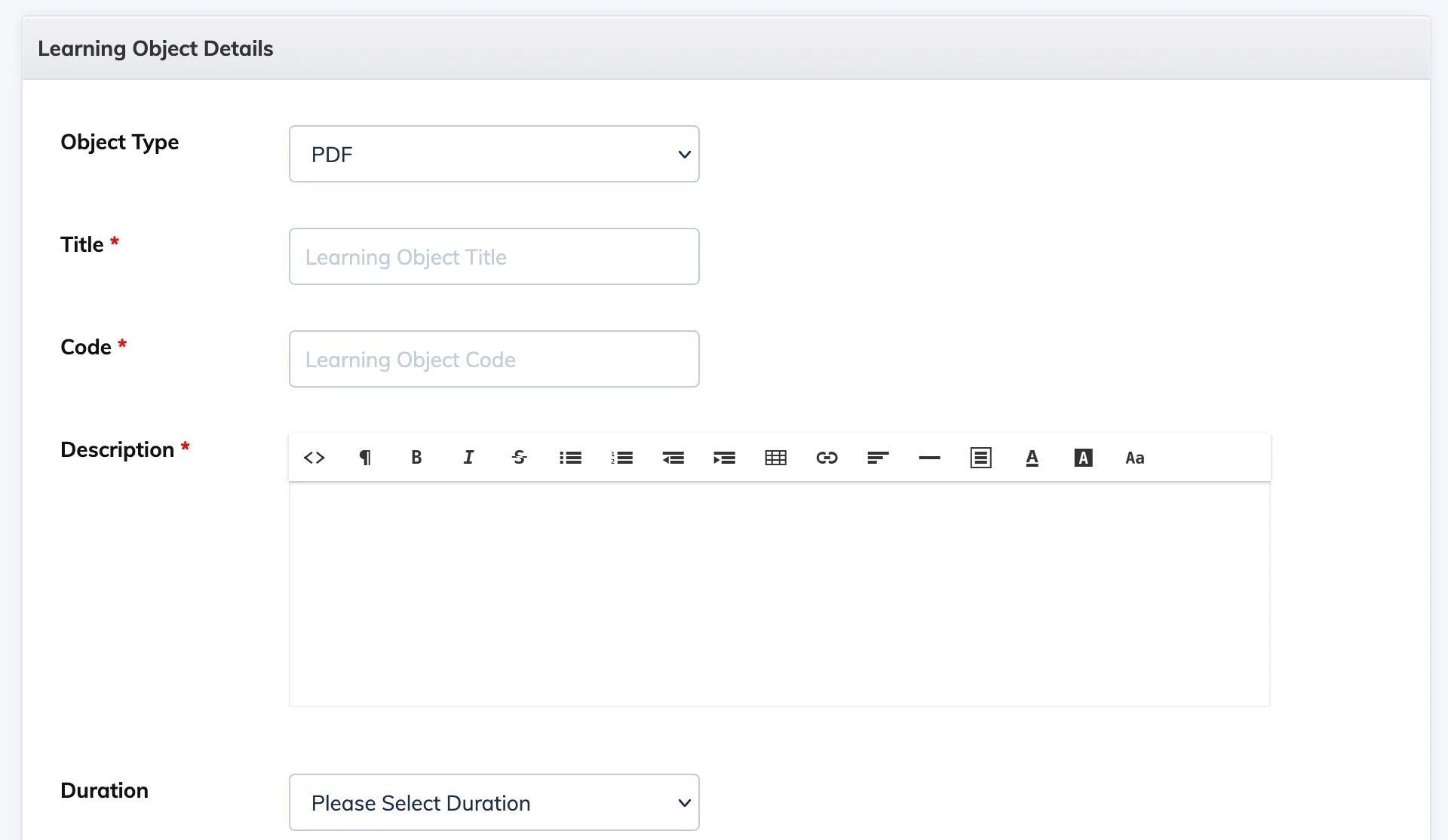
- Fill in the following fields:
- Object Type – Select the content type: PDF, Video, PPT, SCORM, Survey, Practice Test, or Assignment.
- Title – Enter a name for the object.
- Code – Enter a unique identifier code.
- Private / Public – Set whether the content is accessible privately or publicly.
- Description – Add details about the learning object.
- Duration – Set how long the object will be available to learners (in days or months).
- Status – Set to Active or Inactive.
- Click Submit.
Step 2: Add the Content
After creating the object, click on it to open it and upload or create the content based on the type you selected:
- PDF / Video / PPT / SCORM – Upload the file.
- Practice Test / Assignment / Survey – Fill in the form and add questions.
Once the content is ready, you can enroll learners in the Learning Object.