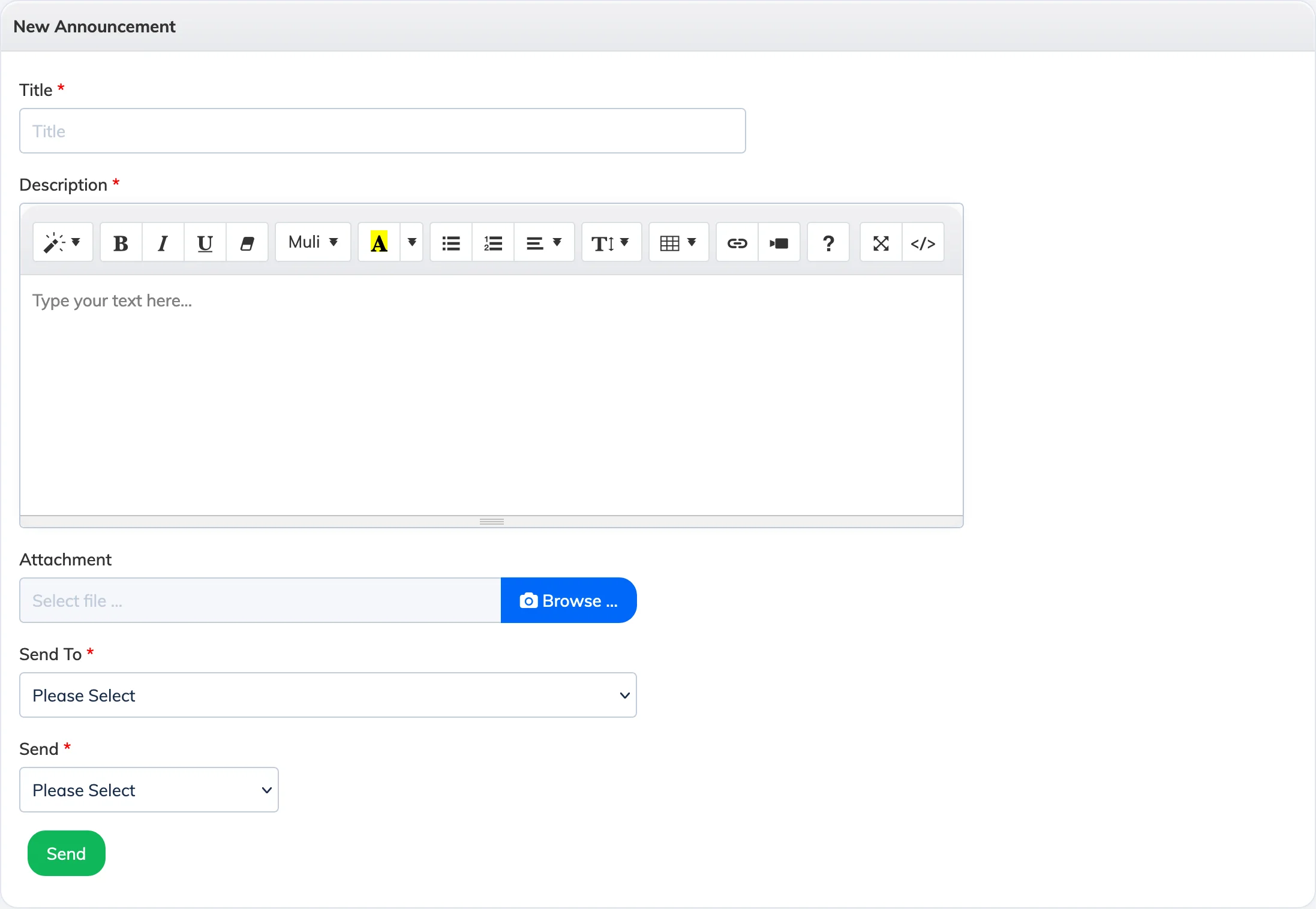
Announcements let you send messages to specific groups of Trainees – by course, batch, department, designation, zone, branch, or individual user. Announcements can be sent immediately or scheduled for a later date and time.
Steps
- Go to Announcements in the navigation bar and click + Announcement.
- Enter a Title and Description.
- Optionally attach a file (JPG, JPEG, PNG, or PDF – max 10 MB).
- From the Send To dropdown, select the audience type and then select the specific batch, course, user, or other group from the second dropdown.
- From the Send dropdown, choose Now to send immediately, or Later to pick a date and time.
- Click Submit.
Send To – How Each Option Works
- Courses – All Trainees currently enrolled in the selected course will receive the announcement.
- Batches – All Trainees in the selected batch who are enrolled in at least one course will receive the announcement.
- Trainee – Enter individual usernames. Only the specified Trainees will receive the announcement.
- Zone / Branch / Department / Designation – All Trainees matching the selected criteria will receive the announcement.
Note: Announcements made before a Trainee’s join date will not be visible to that Trainee.